Introduction
A while back on the blog we talked about the A.I.M. Framework — Actor, Input, Mission — and how giving an AI a clearly defined role is the difference between a useful collaborator and a confused chatbot. That post was about prompting AI to write and reason. This one takes the exact same idea and points it at something a lot more hands-on: a live penetration test.
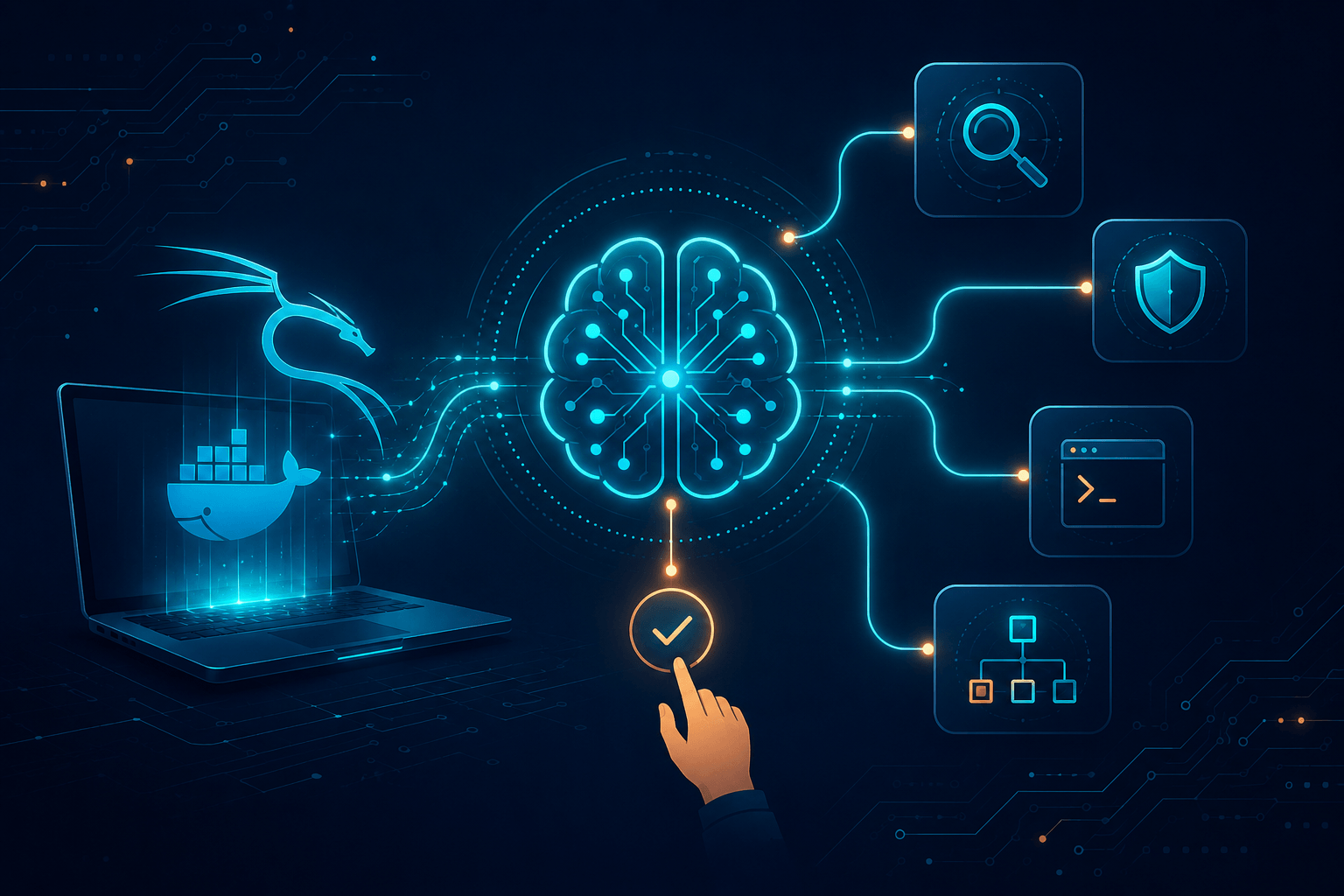
The star of the show is Hexstrike AI, running with only minor modifications. It acts as the orchestrator — the "brain" that decides which tool to reach for next. The actual offensive tooling lives inside a Docker container built on a Kali image, so nothing touches the host directly. And the host itself is refreshingly ordinary: Linux Mint 22.3 on an Asus Vivobook with a Ryzen 7 and 16 GB of RAM. No rack of servers, no cloud GPU cluster — just a laptop you could carry into a coffee shop.
The target is Metasploitable2, the classic intentionally-vulnerable training VM. If you're going to let an AI loose with a Kali toolbox, you do it on a machine that was built to be broken, on a network you own.
Here's the part I want to emphasize before anything else: this is a semi-automatic setup, not a "press button, receive root" robot. At every phase, the AI checks in with me. Before each tool runs, it asks for permission. That design choice is the whole point of this post — because an approval prompt is only useful if the human reading it actually knows what they're approving. The AI brings speed and tireless coverage; you bring judgment. Lose that second half and you've just built an expensive way to attack things you don't understand.
How the Semi-Automatic Workflow Actually Runs
The architecture, in plain terms
Picture four layers stacked on top of each other:
Asus Vivobook (Ryzen 7, 16GB)
└── Linux Mint 22.3            ← base OS
    └── Docker (Kali image)    ← the toolbox lives here, isolated
        └── Hexstrike AI       ← the orchestrator / decision-maker
            └── MCP tool bridge ← how the AI actually calls nmap, nuclei, etc.
Hexstrike AI talks to the tools through an MCP (Model Context Protocol) bridge — in this run it was wired up with a single command:
docker exec -i hexstrike-ai python3 /app/hexstrike_mcp.py \
  --server http://localhost:8888
The model doing the reasoning was claude-sonnet-4-6, both for the main orchestrator and for the subagents it spun off. More on those subagents in a moment.
The approval gate
This is the heart of the "semi-automatic" idea. The AI proposes; you dispose. A typical exchange looks less like magic and more like a careful junior teammate asking a senior:
"Phase 1 recon: I'd like to run a full
nmap -p- -sV -sC -Oagainst 192.168.122.225 to enumerate all ports, versions, and the OS. Approve?"
You say yes — but only because you know that flag combination is a thorough-but-noisy scan, and noisy is fine on a lab box you own. On a real client engagement at 2 a.m., you might not want -p- hammering every port. The prompt is the same; the right answer depends on context only you have. That's why the human in this loop can't be a passenger.
The four-phase engagement
The run was structured into four phases, and Hexstrike worked through them methodically:
- Phase 1 — Recon: A full nmap sweep turned up 26 open ports, fingerprinted the stack (Apache 2.2.8 / PHP 5.2.4 / Tomcat 5.5, kernel Linux 2.6.x), and confirmed there was no WAF in the way. Nuclei immediately flagged default credentials on VNC, PostgreSQL, and FTP.
- Phase 2 — Web: Feroxbuster, Nikto, and Nuclei audited ports 80 and 8180. This surfaced unauthenticated WebDAV
PUT, the Ghostcat AJP flaw (CVE-2020-1938), an LFI null-byte bug in Mutillidae, and a Tomcat Manager wide open totomcat:tomcat. - Phase 3 — Binary/Exploitation: Three independent root shells were confirmed — the port 1524 bindshell (instant root, zero exploit), the vsftpd 2.3.4 backdoor (CVE-2011-2523), and a WebDAV upload chained into a SUID-nmap privilege escalation that dumped
/etc/shadow. - Phase 4 — Network: distccd RCE (CVE-2004-2687) confirmed, NFS exporting
/to the entire world, Java RMI classloader exposure, and a SMB null session that quietly dumped 35 usernames.
All told: 25 vulnerabilities — 11 critical, 6 high, 4 medium, 4 low/info — and three separate paths to root that didn't even need to be chained together.
The parallel-fork trick
Here's a nice efficiency detail. Instead of marching through all four phases in a straight line, the orchestrator forked Phase 2 (Web) and Phase 4 (Network) to run in parallel as separate subagents, then ran Phase 3 once their results were in. That one scheduling decision shaved roughly 40 minutes off the total runtime. It's a small reminder that the "AI" advantage here isn't just knowing commands — it's orchestrating work the way a small team would.
Being a Competent Approver
The whole model collapses if the human rubber-stamps everything. Here's how to actually hold up your end.
1. Know what the tool does before you approve it. When the AI asks to run enum4linux -a or deploy a WAR file to Tomcat, you should already understand the blast radius. If you find yourself approving commands you'd have to Google afterward, slow down. The approval prompt is a checkpoint, not a formality.
2. Authorization and scope come first, always. Metasploitable2 on your own VLAN is the only reason any of this is okay. The AI has no concept of your rules of engagement unless you enforce them at the gate. Every "approve?" is also a "is this in scope?" question.
3. Don't assume the AI is infallible — watch for failures. In this very run, the httpx_probe tool failed because the -l and -t flags weren't supported in the container build, and the workflow quietly fell back to a raw execute_command. A practitioner who wasn't paying attention might've logged a clean "httpx complete" that never actually happened. Read the output, not just the green checkmark.
4. Verify findings before they hit the report. The AI confirmed three root paths with actual shells — that's the standard to hold it to. A "version match" (like the UnrealIRCd backdoor, which was inferred rather than directly triggered) is a lead, not a confirmed finding. Know the difference and label it honestly.
5. Trim the toolbox. Of 149 registered MCP tools, only 10 actually fired. A big chunk were flat-out irrelevant to a network/web pentest — Kubernetes benchmarks, cloud compliance scanners, IaC linters. Carrying dead weight just widens the AI's selection surface and adds schema-loading overhead. Curate a profile that fits the engagement type.
Final Thoughts — The Numbers That Matter
Strip away the findings for a second and look at the operational story, because that's where AI-assisted pentesting really earns its keep. Three numbers tell it:
Tools used: 10 of 149. Only about 7% of the available arsenal was needed to fully compromise the target. The headline isn't "look how many tools an AI can run" — it's how selectively it ran them. nmap, nuclei, feroxbuster, nikto, smbmap, enum4linux, and a handful of shell fallbacks did the entire job.
Tokens consumed: ~273,662. That covers the orchestrator (~50,000 estimated) plus three subagent forks — Phase 4 at 69,475, Phase 2 at 74,091, and Phase 3 at 80,096. Roughly 73 tool calls total. For under 300K tokens, you get a fully documented four-phase engagement with a vulnerability table, confirmed root paths, and a report. That's a genuinely favorable cost-to-coverage ratio.
Time consumed: 1 hour 14 minutes. Start to finish — engagement init to closed — on a laptop. The parallel forks saved about 40 minutes of that. A manual pentester covering the same ground thoroughly would measure this in days, not minutes.
So what does it add up to? Not "the AI replaces the pentester." The AI handled the breadth, the parallelism, and the relentless documentation. The human handled the judgment: scoping, approving, catching the httpx failure, separating confirmed roots from version guesses. Semi-automatic is the sweet spot — fast enough to matter, supervised enough to trust. And the price of admission is exactly what it's always been in security: you have to actually know your stuff. The AI just makes knowing your stuff dramatically more productive.