If you've ever stared at your WordPress dashboard and thought, "There has to be a better way" — this post is for you.
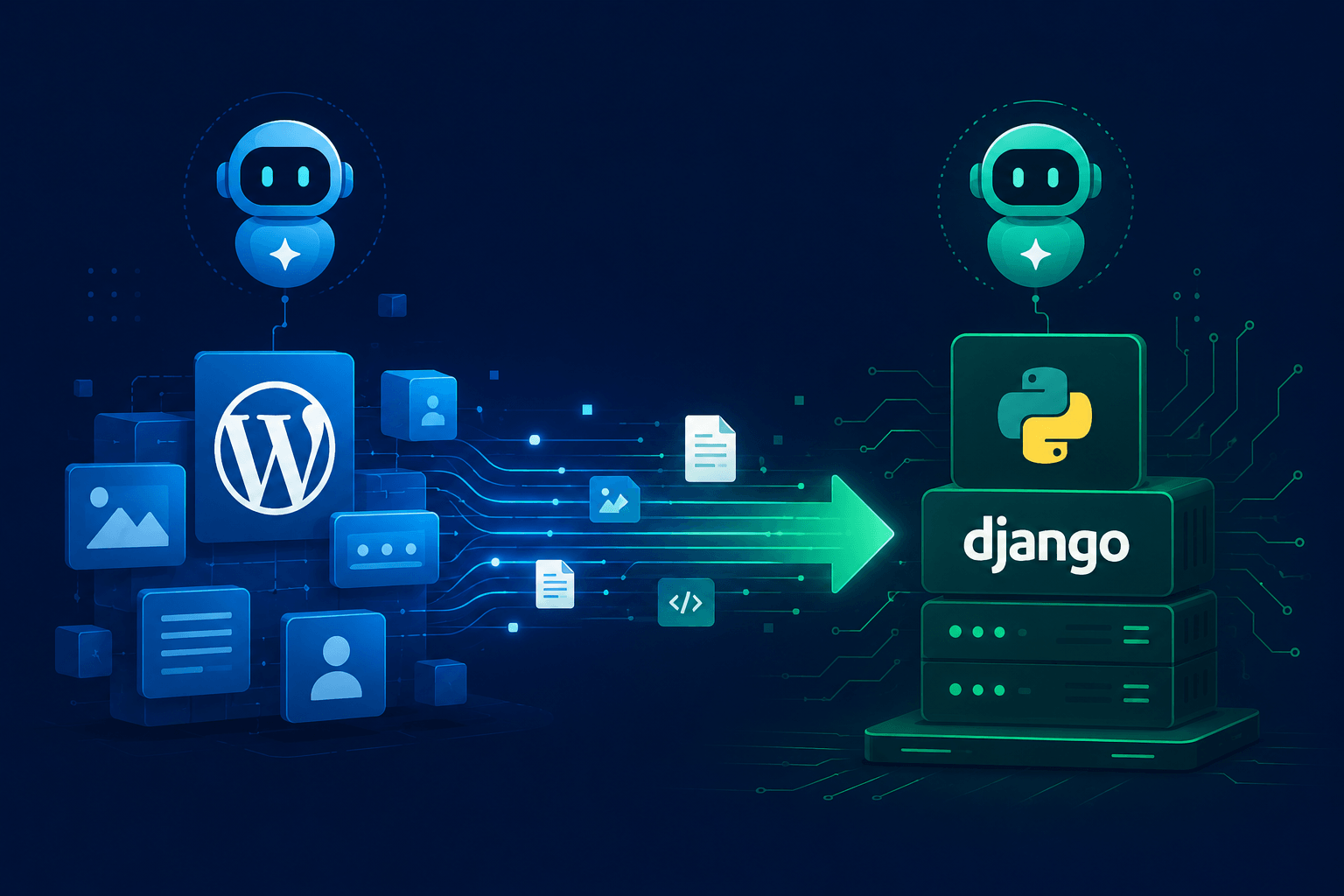
Last weekend, I did something that would have sounded borderline crazy a few years ago: I migrated Sandbox99 Chronicles from WordPress to a Django-powered web application in under 24 hours. No large dev team. No months of planning. Just me, a clear architectural vision, and two AI collaborators doing the heavy lifting.
This is the story of how it went down — what worked, what surprised me, and why I think every IT professional with a side project should consider doing the same.
The Setup: My AI-Powered Migration Team
Before we get into the technical details, let me introduce the squad.
Me — Web Architect & Code Approver
I know Python reasonably well, but Django's web development ecosystem isn't my home turf. My role was to define the overall architecture, make design decisions, review every code block before it went live, and keep the project moving. Think of it as being the tech lead without writing most of the code yourself.
Claude Code — The Builder
Claude Code handled the heavy lifting on the implementation side. Scaffolding the Django project structure, generating models, writing views, setting up URL routing, building templates — Claude Code churned through tasks that would have taken me days to write manually.
Google Gemini — The Technical Consultant
Gemini played the role of step-by-step guide and sanity check. When I needed to understand Django's ORM, figure out the best way to handle static files in production, or work through a migration strategy for existing WordPress content, Gemini walked me through the process clearly and methodically.
The combination was genuinely powerful. Gemini explained the why, Claude Code executed the how, and I made sure the whole thing made architectural sense.
Core Concept: How the Migration Actually Worked
Why Ditch WordPress?
WordPress is great for getting something online fast. But as a technically-minded person running a blog aimed at IT professionals, I kept running into friction:
- Limited control over the underlying codebase
- Plugin bloat and dependency hell
- No clean way to integrate custom tooling or automation
- The nagging feeling that I was building on top of someone else's abstraction layer
Django offered full control, a clean Python-native environment, and the ability to extend the platform in any direction I wanted.
The Architecture Decision
Before touching a single line of code, I mapped out the core decisions:
Content Model: Posts, categories, tags, authors — translated into Django models with proper relationships.
URL Structure: Preserve existing slug patterns to avoid breaking inbound links or search engine indexing.
Static Files: Move away from WordPress media uploads toward a clean MEDIA_ROOT setup with Django's file handling.
Deployment Target: Same server, swap out the PHP/WordPress stack for a Python/Gunicorn/Nginx setup.
Database: Export WordPress content via XML, parse and import into PostgreSQL using a custom management command.
The AI Collaboration Flow — A Three-Way Partnership
Here's where things get interesting. This wasn't just a solo dev grinding through documentation at midnight. It was a deliberate three-way collaboration between me, Google Gemini, and Claude Code — each playing a distinct role, and none of them stepping on each other's toes.
Me — Web Architect & Code Approver
I defined the overall architecture, made the key design decisions, and reviewed every code output before it touched the server. I know Python reasonably well, but Django's web ecosystem isn't my home turf. My value wasn't in writing the code — it was in knowing what needed to be built and making sure what came out made sense.
Google Gemini — Technical Consultant & Project Scaffolder
Gemini was my step-by-step guide throughout the entire process. It walked me through the Django migration strategy, explained the reasoning behind framework conventions, and — critically — generated the claude.md file and any skill files that Claude Code needed to operate effectively.
This is the part most people overlook. Claude Code is a powerful builder, but it performs best when it has a well-crafted context file to work from. The claude.md file acts as the single source of truth: it defines the project structure, coding conventions, tech stack, and scope boundaries. Gemini's role was to produce that file with enough precision and completeness that Claude Code could hit the ground running without ambiguity.
Claude Code — The Builder
With the claude.md and skill files in place, Claude Code handled the implementation. Scaffolding the Django project, generating models, writing views, building URL configurations, and producing templates — Claude Code executed tasks that would have taken me days to write manually, and it did so within the guardrails that Gemini had carefully defined.
The output from Claude Code then fed back to me for review, and any clarifications or corrections looped back through the same pipeline. Gemini refined the context when needed; Claude Code re-executed; I approved and moved forward.
The claude.md File: The Most Important Piece of the Puzzle
If there's one thing I want you to take away from this entire post, it's this: the claude.md file is the vital piece that makes the whole system work seamlessly.
Think of it as a project briefing document written specifically for Claude Code. Without it, you're essentially handing a skilled contractor a set of tools and saying "figure it out." With it, you're handing them a complete project spec, a tech stack reference, and a clear definition of done — all in one file.
Gemini was meticulous about crafting this file. It covered:
- Project name, purpose, and tech stack
- Directory structure and naming conventions
- Django app breakdown and model relationships
- Coding style expectations (PEP 8, template conventions, etc.)
- What Claude Code was and wasn't responsible for
- Output format expectations for generated code blocks
The result? Claude Code and Gemini never contradicted each other. They complemented each other because they were both working from the same shared context. Gemini defined the spec; Claude Code built to the spec. When something needed adjustment, I updated the claude.md, and the whole pipeline re-aligned without friction.
The Output Prompt: What I Fed Into Claude Code
Below is the style of prompt I used to kick off each Claude Code task. Gemini produced the claude.md first, then I fed this type of prompt — with the file attached — directly into Claude Code:
Claude Code Prompt Template:
Reference: claude.md (attached)

Task: [specific task description]

Context:
- We are migrating Sandbox99 Chronicles from WordPress to Django.
- All architectural decisions, tech stack, and conventions are defined in claude.md.
- Do not deviate from the stack or structure defined there.

Deliverable:
- [specific output: e.g., Django model file, URL config, management command]
- Follow PEP 8 and Django best practices as outlined in claude.md.
- Output code only. No explanation needed unless a decision requires justification.
This structure kept every Claude Code output scoped, consistent, and ready for review without unnecessary back-and-forth. Clean inputs produce clean outputs — every time.
Best Practices: What I Learned the Hard Way
1. Be the Architect, Not Just the Prompter
The single most important thing I did right was maintaining a clear architectural vision before involving any AI tools. I knew what my models needed to look like, what URL patterns to preserve, and what the deployment target was. Without that clarity, AI outputs would have been all over the place.
Think of it this way: AI tools are brilliant junior developers. They need a senior engineer to define the scope and review the output.
2. One Task at a Time
Giving Claude Code a vague instruction like "migrate my WordPress site to Django" would have produced garbage. Instead, I broke the work into specific, scoped tasks:
- "Generate a Django model for blog posts with title, slug, body, published date, and a ManyToMany relationship to tags."
- "Write a URL configuration that maps
/blog/<slug>/to a PostDetailView." - "Create a Gunicorn systemd service file for a Django app running on port 8000."
Specific inputs produce specific, usable outputs.
3. Always Read the Code Before Running It
Every single code block from Claude Code got reviewed before it ran on my machine. Not because the AI produces bad code — it mostly doesn't — but because you need to understand what's being deployed. Running AI-generated code blindly is how you end up with a mysterious bug at 2 AM and no idea where it came from.
4. Use AI Consultants for the "Why"
Gemini was invaluable not just for step-by-step instructions, but for explaining why Django does things the way it does. Understanding the reasoning behind Django's ORM, the migration system, and settings.py separation made me a more effective code approver.
5. Preserve Your URL Structure
If your WordPress site has any SEO value or external links, do not change your URL patterns during migration. Django makes it straightforward to mirror existing slug-based URLs — take the extra time to do it right. A broken link structure can wipe out months of organic traffic.
6. Test Locally First
Spin up python manage.py runserver and click through everything before touching production. I caught three template rendering issues and one broken image path this way — zero drama because it was all local.
Final Thoughts / Summary
Was the 24-hour WordPress-to-Django migration worth it? Absolutely — and then some.
Here's what I came away with:
- Full control over every layer of the stack
- A Python-native environment that plays nicely with every tool I already use
- A genuinely satisfying sense of ownership over the platform
- Proof that AI collaboration is a real force multiplier for solo developers and IT professionals
You don't need to be a Django expert to pull something like this off. You need a clear architectural vision, solid reviewing instincts, and the willingness to leverage the AI tools available to you intelligently.
We're living in a genuinely different era for technical side projects. The barrier to building something real has never been lower — if you're willing to show up as the architect and let the AI handle the scaffolding.
If you're sitting on a migration idea you've been putting off, this might be your sign to just schedule the weekend and do it.