Every side project hits the same fork in the road early: where does the data live, and who talks to it? The two answers that keep coming up are deceptively similar. Option one: embed SQLite directly in your app and write everything yourself. Option two: run PocketBase — a single-file open-source backend that also uses SQLite underneath — and let it handle the API, auth, files, and realtime for you.
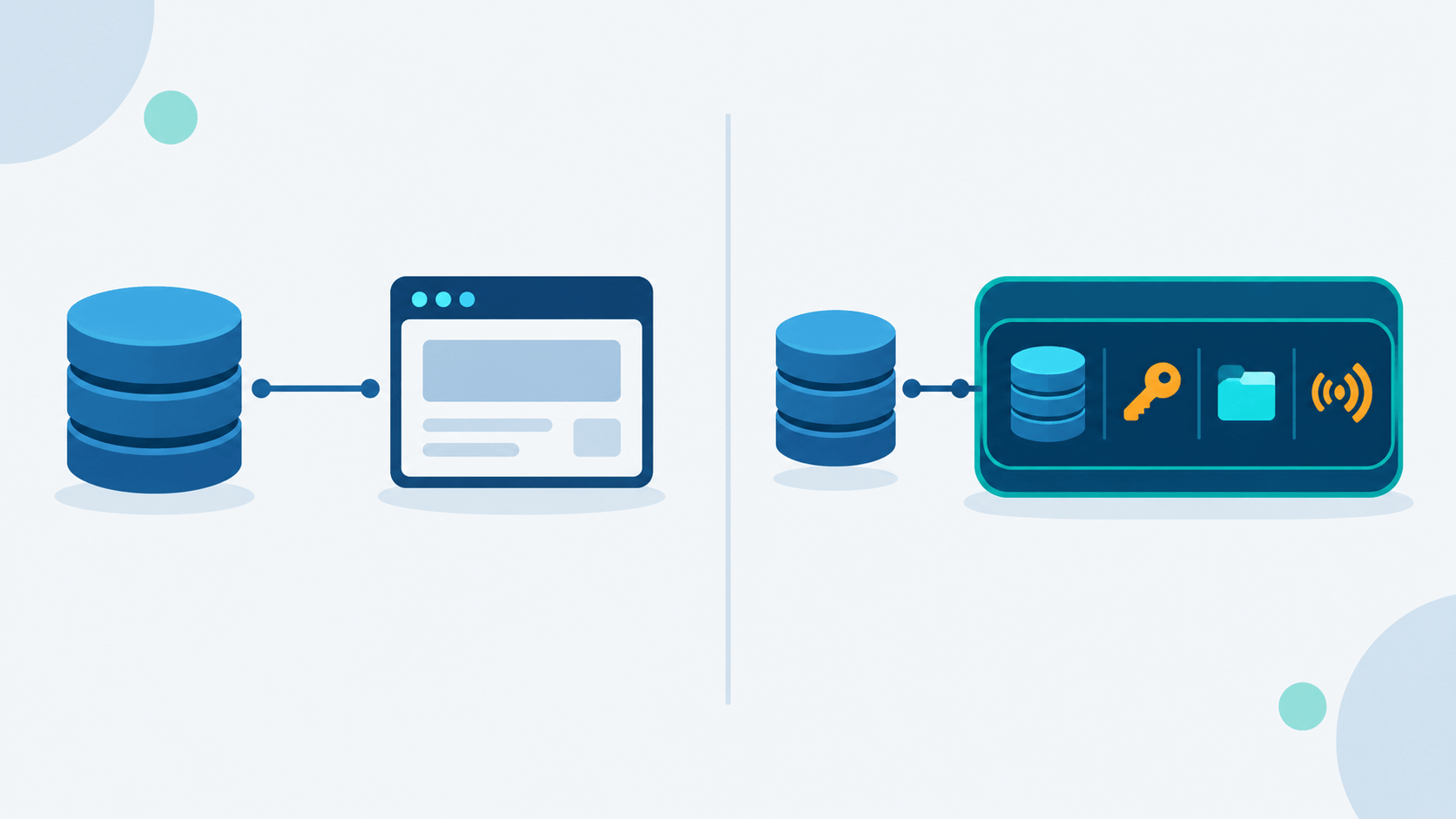
Because PocketBase is built on SQLite, this is not a database choice. Both paths end up in the same file format. What you are actually choosing is how much backend you want to own versus borrow. That decision shapes your weekend, your deployment, and how far the project can go before it outgrows itself.
This article breaks down both approaches side by side: what each one gives you, what each one costs in complexity, and when one clearly beats the other for a side project.
What Is the SQLite-Only Approach?
SQLite-only means your application opens a SQLite database file directly — through a driver in whatever language you use — and your application code is the entire backend. There is no separate server process, no ORM service, no admin UI unless you build one.
Key traits:
- Zero infrastructure — the database is a single file next to your binary (or inside your app's data directory). Copy it, back it up, done.
- Full control — you write the schema, the queries, the migrations, and every rule about who can read or write what.
- No network hop — queries run in-process. For local tools, CLIs, desktop apps, and single-user services, latency is effectively zero.
- Portable across stacks — SQLite ships with or is a dependency for basically every language: Python, Go, Rust, Node, PHP, Swift, Kotlin. Your SQL skills transfer anywhere.
- You own the whole stack — HTTP API, authentication, file uploads, validation, rate limiting, admin screens: all of it falls to you, or to whatever libraries you glue together.
This is the default for a huge category of software: dotfiles managers, note-taking apps, local-first tools, small internal scripts, game save editors, anything that runs on one machine and serves one user (or a handful).
The trade-off is assembly work. SQLite gives you storage, not a product. The moment your side project needs "log in from my phone and see the same data," you start hand-rolling sessions, password hashing, maybe a REST layer — the exact boilerplate everyone reimplements for the thousandth time.
What Is PocketBase?
PocketBase is an open-source backend written in Go, distributed as a single executable (MIT license, roughly 15–40 MB depending on platform). The project crossed into its 0.40.x line in August 2026 (v0.40.3 as of this writing), with around 61,000 GitHub stars and steady, active maintenance.
Out of the box, one binary gives you:
- Embedded SQLite database — WAL mode, two separate files (
data.dbfor app data,auxiliary.dbfor logs/ephemeral data) to reduce write contention. Schema builder, field validations, indexes. - REST-ish API — CRUD, filtering, sorting, pagination on every collection, generated automatically from your schema.
- Authentication — email/password and OAuth2 (Google, Facebook, GitHub, GitLab, and more), email templates for verification and password reset, user collection management built in.
- File storage — attach files to records, store locally or on S3, generate thumbnails on the fly.
- Realtime subscriptions — server-sent events; clients subscribe to collection changes (
pb.collection('items').subscribe('*', ...)). - Admin dashboard — browser UI at
/_/for managing collections, records, users, files, and settings without writing an admin panel. - SDKs — official JavaScript (browser, Node, React Native) and Dart (web, mobile, desktop, CLI) clients.
You can run it two ways:
- Standalone — download the binary,
./pocketbase serve, point your frontend athttp://127.0.0.1:8090. Data lands inpb_data/, JS migrations inpb_migrations/. - Go framework — import the package, embed it in your app, extend it with Go hooks, still ship one portable executable.
It is deliberately not a Firebase clone with cloud functions. No GraphQL, no multi-database support, no serverless extensions, no official hosted offering — self-host only. Custom logic lives in Go hooks (or JS via the VM plugin in the default build).
PocketBase's own FAQ is blunt about scope: single server, vertical scaling, great for small and midsize apps — SaaS MVPs, mobile API backends, intranets. And a warning worth repeating: it is pre-1.0, so full backward compatibility is not guaranteed, and if you plan to rely solely on AI tooling without reading the docs, the maintainer says do not use it.
The Architecture Difference
Worth being explicit, because "PocketBase vs SQLite" sounds like a database bake-off and is not one:
SQLite-only app                 PocketBase app
┌─────────────────────┐         ┌─────────────────────┐
│  Your app code      │         │  Frontend (any)     │
│  ├─ HTTP handlers   │         └──────────┬──────────┘
│  ├─ Auth logic      │                    │ JS/Dart SDK
│  ├─ File handling   │         ┌──────────▼──────────┐
│  └─ SQLite driver ──┼──┐      │  PocketBase binary  │
└─────────────────────┘  │      │  ├─ REST API        │
                         │      │  ├─ Auth / OAuth2   │
                   ┌─────▼────┐ │  ├─ File storage    │
                   │ app.db   │ │  ├─ Realtime (SSE)  │
                   └──────────┘ │  ├─ Admin UI        │
                                │  └─ SQLite driver ──┼──┐
                                └─────────────────────┘  │
                                                  ┌──────▼──────┐
                                                  │ pb_data/    │
                                                  │ data.db     │
                                                  │ auxiliary.db│
                                                  └─────────────┘
PocketBase sits on SQLite and exposes it over HTTP with product features bolted on. SQLite-only puts SQLite directly under your code with no middle layer. Same engine, different amount of prebuilt machinery between your data and your users.
Head-to-Head
| SQLite-Only | PocketBase | |
|---|---|---|
| What you get | Storage engine only | Storage + REST API + auth + files + realtime + admin UI |
| Runtime | In-process inside your app | Standalone binary (~15–40 MB) or Go framework |
| Language/stack | Anything with a SQLite driver | Go for server logic; JS/Dart SDKs for clients (any frontend framework) |
| Setup time | Instant for local use; hours–days once you add API + auth | Minutes: download binary, define collections, done |
| Schema management | Your migration tooling (raw SQL, Flyway, alembic, etc.) | Dashboard or JS migrations in pb_migrations/ |
| Authentication | DIY or bolt-on library | Built-in: email/password, OAuth2, reset/verify emails |
| Realtime | DIY (WebSockets, SSE, polling) | Built-in SSE subscriptions per collection |
| File uploads | DIY storage layer | Built-in local/S3, thumbs, linked to records |
| Admin UI | Build it yourself or skip it | Included dashboard at /_/ |
| API surface | Whatever you design | Uniform REST per collection: filter, sort, paginate |
| Custom business logic | It's all yours | Go hooks (or JS VM) — designed for extension, not cloud functions |
| Backup | Copy the .db file |
Copy pb_data/ (database + uploads together) |
| Deploy | Whatever runs your app | One process; Docker optional, not required |
| Resource footprint | ~0 extra (DB in-process) | ~20–30 MB RAM idle |
| Data portability | Raw SQLite — trivially portable | SQLite files underneath; API/schema concepts tied to PocketBase |
| Maturity risk | SQLite is battle-tested for decades | Pre-1.0: breaking changes possible before v1.0 |
| Scaling ceiling | SQLite's limits (single-writer, WAL helps reads) | Same SQLite limits + designed for one server only |
| Best moment | Local tools, CLIs, desktop apps, single-user services | Multi-client apps (web + mobile) that need users, API, and files fast |
Deployment and Operations
SQLite-only
Deployment is whatever you already ship. Desktop app: the database lives in the user data directory. Server: the file sits next to the process. No ports to open for the database itself — it is not a network service.
Ops burden is small but total:
- Backups are
cp app.db app.db.bak(plus a plan for when you run it). - Schema changes are your migration scripts.
- If you expose an API, you own TLS, auth, rate limits, input validation.
- Corruption/locking issues are on you to diagnose (WAL mode, busy timeouts, careful concurrent access).
PocketBase
Deploy pattern is famous for being short: download, ./pocketbase serve, open /_/, create superuser. Or one Docker container with a volume for /pb_data and a healthcheck on /api/health. No .env secrets, no database credentials, no separate DB container.
Ops picture:
- Backups: copy
pb_data/— database and uploaded files in one shot. - Migrations: commit
pb_migrations/to git; they run on startup. - Updates: replace the binary (pin versions; pre-1.0 means read changelogs).
- Reverse proxy/TLS in front if you expose it publicly (or use built-in auto-HTTPS options in the Go setup).
- Resource use stays tiny — Raspberry Pi and free-tier VPS friendly.
Neither path is hard. SQLite-only spreads small tasks across your app code; PocketBase concentrates them in one directory you copy around.
Scaling and Limits
Here is the uncomfortable truth: pick either path and you inherit SQLite's characteristics.
- Single writer. WAL mode lets many readers run alongside one writer. Concurrent write throughput in the low hundreds per second is comfortable; aggressive multi-writer load is not the target.
- One machine. No read replicas, no horizontal scale-out, no multi-region — unless you add tooling (e.g. Litestream for replication) or shard manually.
- File-backed. Lives on local/SSD storage. Network filesystems are a classic footgun.
- Size. Databases well past 100 GB work technically; backup and migrate pain grow with size.
PocketBase is explicit: vertical only, single server, no clustering. Its dual-file design (data.db vs auxiliary.db) reduces log-vs-data write contention, but it does not change the single-writer model. SQLite-only has the same ceiling — you just notice it when your code is the thing serializing writes.
For a side project, this ceiling is usually miles away. You hit it with real multi-tenant SaaS traffic or write-heavy collaborative tools — at which point you are graduating from "side project" anyway.
When to Choose SQLite-Only
- The app is local-first or single-process. CLIs, desktop apps, editor plugins, scripts, home automation glue. No remote clients need an API.
- You control every code path and want it that way. Custom query patterns, unusual access rules, tight integration with domain logic — fewer abstraction layers, fewer surprises.
- You are building the backend as the project. The API design is the learning goal; wrapping it in PocketBase would skip the point.
- Zero network surface is a feature. Nothing listens on a port; the data never leaves the machine except when you move the file.
- Maximum portability of data model. Plain tables and SQL anyone can open with the
sqlite3CLI ten years from now.
When to Choose PocketBase
- Multiple clients against one data store. Web dashboard + mobile app + maybe a CLI — you want one API, not three hand-rolled ones.
- Auth is required and you do not want to write it. Users, OAuth providers, email verification, password reset: shipped on day one.
- Speed to first working demo matters. Schema in the dashboard, data via REST, JS SDK in the frontend — MVP in an afternoon.
- You want file uploads tied to records without designing an object-storage layer.
- Realtime updates without infrastructure. Subscribe in the SDK; no separate WebSocket service to run.
- Ops budget is near zero. One binary, one data directory, copy-to-backup. Runs on a Pi.
- You like extending via hooks. Go (or JS) hooks for custom endpoints and logic, while keeping a single portable artifact.
Hybrid note: plenty of projects start SQLite-only, then adopt PocketBase when the "phone + laptop + browser" moment arrives. The reverse migration (PocketBase → hand-rolled API) is more work — your client code is coupled to PocketBase's SDK and collection model.
Risks and Trade-offs
Risks of SQLite-Only
- Reinvented auth is usually worse auth. Hand-rolled sessions and password handling are a common source of real vulnerabilities. Libraries help, but integration is on you.
- Boilerplate creep. Pagination, filtering, error shapes, validation — you reimplement what PocketBase ships free.
- No admin UI unless you build one, which means data fixes happen via SQL console at 2 AM.
- Integration overhead as soon as a second client appears.
Risks of PocketBase
- Pre-1.0 instability. The project warns that backward compatibility is not guaranteed until v1.0. Pin versions; read migration notes.
- Concepts are PocketBase-shaped. Collections, field validations, hook APIs — portable data is still SQLite, but your integration code is not.
- Single-maintainer gravity. It is a community project with a strong central author. No vendor SLA, no hosted fallback. (MIT licensed, so a fork is legally possible — practically, still a risk.)
- SQLite limits are product limits. No "just switch to Postgres" escape hatch; the FAQ says SQLite-only by design.
- No cloud functions. If your mental model is Firebase/Supabase edge functions, PocketBase's answer is "write Go/JS hooks instead."
- AI-only integration is discouraged. Maintainer explicitly asks people who will not read the docs not to use it — a signal that surface-level prompt-and-deploy will frustrate you.
Verdict
Neither option is universally better; they solve different amounts of the problem.
Choose SQLite-only when the project is local, single-user, or the backend itself is the craft. You get the most portable storage on the planet and full control, at the price of building every product layer above the file.
Choose PocketBase when the project needs real users, a real API, files, and maybe realtime — and you want to spend the weekend on the frontend instead of re-implementing OAuth. You get a coherent, tiny, self-hosted backend, at the price of pre-1.0 churn and PocketBase-shaped integration code.
And remember the reframe: PocketBase is not an alternative to SQLite. It is SQLite with a product around it. You are not giving up the database either way. You are deciding whether you want to be the person who ships the database plus the backend, or someone who downloads one binary and gets back to the side project.