Introduction
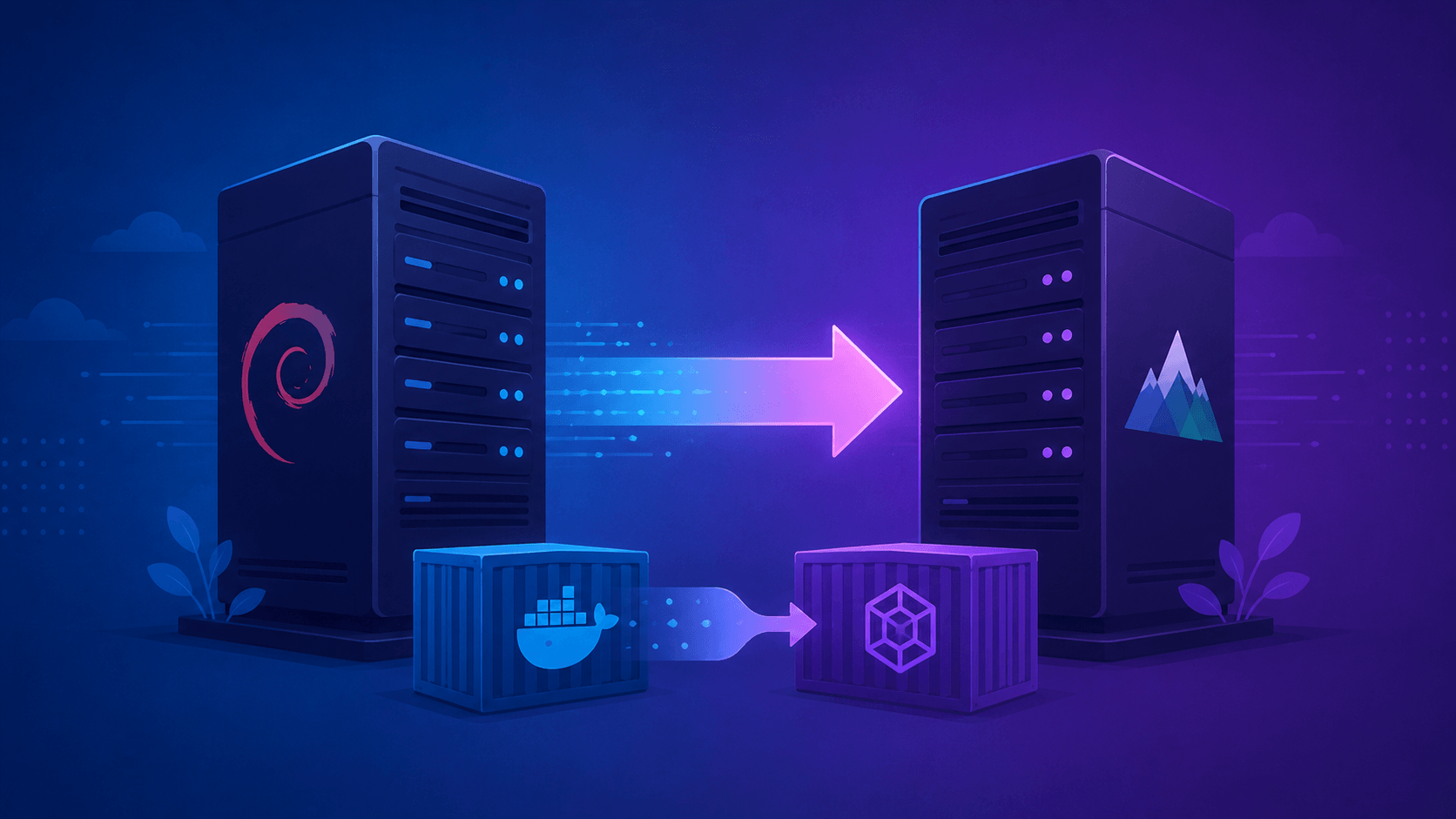
Last weekend I did something I used to dread: I migrated a live VPS from Debian 12 to AlmaLinux 10, and swapped my container runtime from Docker to Podman in the same session. If you've been following along, you know I've written before about how AI tools have crept into every corner of my workflow — from pair-programming my YouTube downloader project to running AI-orchestrated penetration testing against a Metasploitable2 target. This time, the AI wasn't writing app code or running exploits — it was helping me plan and execute an actual OS migration on infrastructure I depend on.
Let's rewind for a second. Ten years ago, "upgrading a server" meant a browser tab full of blog tutorials, a text file of half-remembered notes, and a lot of manual typing into a terminal at 11 PM hoping you didn't fat-finger something. Over the past year or so, I graduated from "notes" to "shell scripts" — turning my ad-hoc commands into something repeatable I could actually trust to run unattended. If you wanted to go further than a shell script, that's usually where Ansible enters the picture, treating the whole setup as declarative, idempotent playbooks instead of imperative steps.
This weekend added a new layer on top of all that: AI-assisted orchestration. I used Opencode with Qwen 3.7 as my hands-on coding assistant, and Google Gemini Pro (extended) as a planning consultant that generated the actual instruction files — an AGENTS.md, a SKILLS.md, and an execution prompt — to drive the whole migration and the Docker-to-Podman container cutover. It was, honestly, one of the more satisfying infra weekends I've had in a while.
Core Concept: From Manual Notes to AI-Orchestrated Migration
The Evolution of "How I Do This"
It's worth mapping out how this workflow actually evolved, because the AI layer only makes sense in context:
- Manual era — copy commands from a tutorial or your own notes, paste into the terminal, cross your fingers.
- Scripted era — consolidate those commands into a shell script. Fewer typos, repeatable, but still fairly rigid — one script, one specific scenario.
- Ansible era (optional) — for those who want declarative, idempotent infrastructure management instead of a linear script. Great if you're managing more than one box.
- AI-orchestrated era (this post) — instead of you writing the script or playbook line by line, an AI assistant proposes and executes the steps, with you approving each one.
That last step is the interesting part. It's not "AI writes a script and I run it blind" — it's closer to having a junior sysadmin who never gets tired, drafts a plan, and waits for your sign-off before touching anything.
The Role of AGENTS.md and SKILLS.md
This is the piece that made the whole thing click. Rather than typing a giant prompt and hoping the AI "figures it out," Gemini Pro was used as a consultant to generate two structured files before any execution happened:
AGENTS.md— defines the roles and constraints for the AI assistant doing the actual work (Opencode + Qwen), essentially a job description and set of guardrails.SKILLS.md— a reference document of the specific tasks the assistant needs to be capable of (package migration steps, container conversion steps, service validation checks, etc.)
Then a separate execution prompt ties it together and tells the executor AI: "here's your plan, here's your skill reference, now go.
This mirrors something I've noted in past AI-assisted projects: keeping the planning AI and the execution AI separate prevents the contradictions you sometimes get when a single model tries to both design and self-supervise a complex task. Gemini played architect; Opencode/Qwen played builder.
Why Debian 12 → AlmaLinux 10 Isn't a Trivial Swap
This isn't just "apt vs dnf." A few things genuinely differ between Debian-family and RHEL-family systems that any migration plan (AI-assisted or not) needs to account for:
- Package manager and repo structure —
apt/dpkgconventions vs.dnf/rpm, plus AlmaLinux's own repo layout (BaseOS, AppStream, EPEL for extras) - SELinux vs AppArmor — AlmaLinux ships with SELinux enforcing by default, which is a mental shift if you're coming from Debian's AppArmor-or-nothing world
- Service and firewall defaults —
firewalldinstead of Debian's more DIY iptables/ufw setup - Filesystem hierarchy quirks — subtle differences in where certain configs and binaries live
None of this is exotic if you've worked with RHEL-family systems before, but it's exactly the kind of "small but easy to forget" detail that benefits from having a structured plan file instead of relying purely on memory at 11 PM.
Why Docker → Podman
The container runtime swap deserves its own mention:
# Old world
docker compose up -d

# New world — rootless, daemonless
podman generate systemd --new --files --name mycontainer
systemctl --user enable --now container-mycontainer.service
Podman's daemonless, rootless-by-default architecture is a meaningful security posture improvement over Docker's traditional root daemon model — no single privileged process managing every container. AlmaLinux 10.2 (the release generation this migration targeted) ships current Podman, Buildah, and skopeo out of the box, which made this a natural pairing rather than fighting the OS defaults.
Best Practices
If you're thinking about trying an AI-assisted OS migration yourself, a few things I'd insist on:
- Snapshot first, always. AI-assisted doesn't mean risk-free. Take a VPS snapshot or full backup before you let anything — human or AI — touch the live system.
- Treat your prompt files like code.
AGENTS.mdandSKILLS.mdare effectively infrastructure-as-code now. Version them in git, review them like you would a pull request, don't just accept whatever the planner AI generates on the first pass. - Approve every execution step. This is the same principle from my AI-assisted pentesting workflow: the human operator needs enough knowledge to make an informed call at each step, not just click "approve" on autopilot. If the assistant proposes something you don't understand, stop and ask it to explain before continuing.
- Test the container conversion separately. Don't let the OS migration and the Docker-to-Podman conversion collide into one giant unreviewable diff. Validate your Compose-to-Quadlet (or
podman generate systemd) conversion in a staging VM first. - Keep a rollback plan that isn't "restore from memory." Have your snapshot, your prompt files, and your validation checklist ready before you start — not improvised after something breaks.
Final Thoughts
I've written plenty about AI pair-programming for web apps and even AI-assisted security testing, but this weekend's VPS migration convinced me of something a little different: AI-assisted setup isn't just a web-development party trick — it's genuinely awesome for DevOps and infrastructure deployment too. Having Gemini Pro architect a structured plan (AGENTS.md, SKILLS.md, execution prompt) and Opencode/Qwen execute it step-by-step, with me approving along the way, turned what used to be a stressful multi-hour manual slog into a controlled, almost enjoyable process.