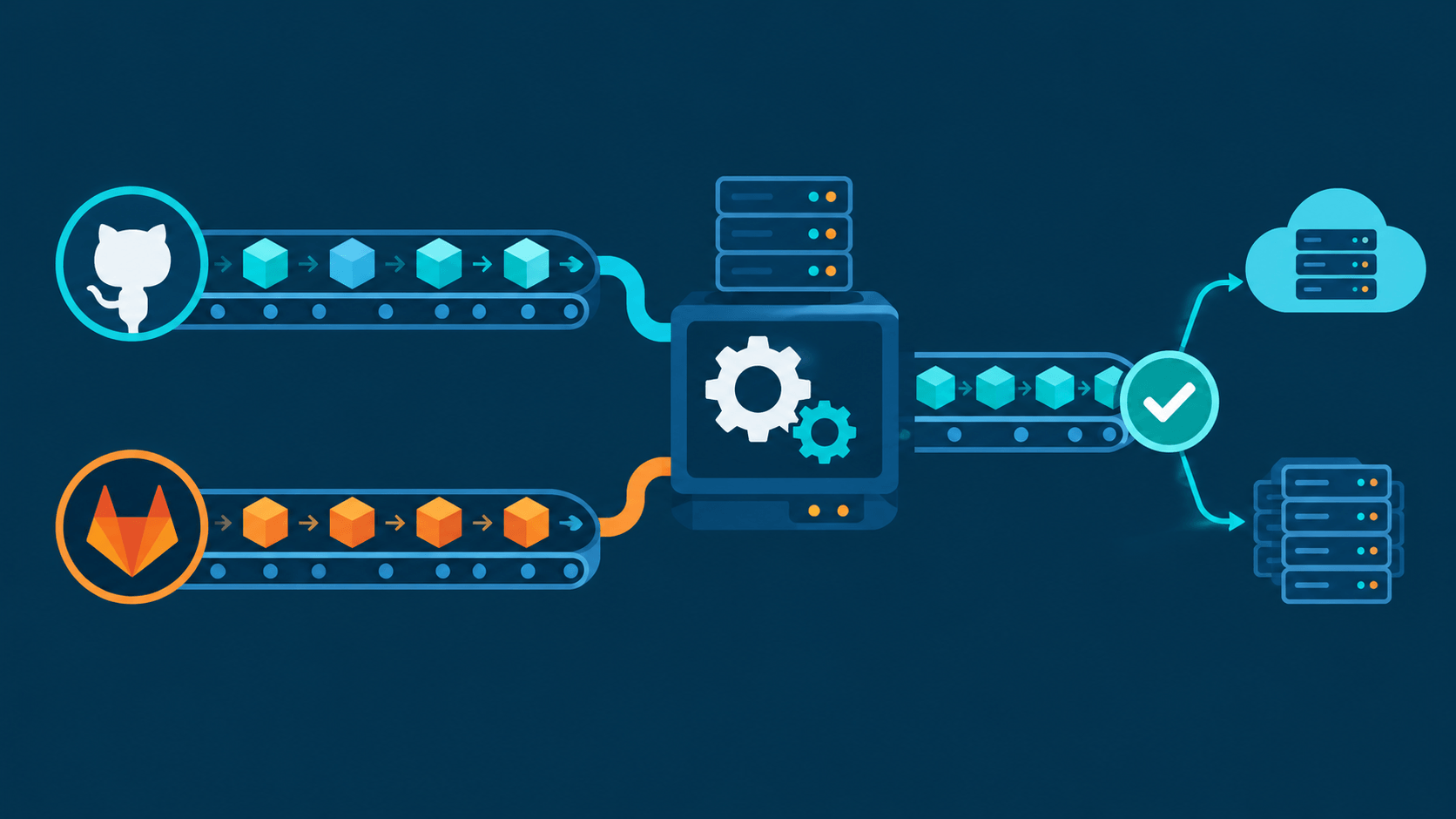
Your build job finishes. Binary in dist/, coverage XML in coverage/, Docker tarball somewhere in /tmp. Runner says green — then what? The workspace gets wiped. Anything you didn't explicitly hand off is gone. That handoff mechanism is the artifact, and the two platforms implement it with opposite philosophies: GitHub makes you carry the box yourself, GitLab drops it at every door down the hall.
Short version: an artifact is a set of files a finished job uploads to platform storage so later jobs (and humans) can download them. GitHub = explicit upload-artifact / download-artifact steps, immutable per-job objects, 90-day default clock, storage pooled with Packages. GitLab = declarative artifacts: block, auto-downloaded by every later-stage job, 30-day default on GitLab.com, plus a reports: subsystem that feeds test/security results straight into the merge request UI.
This is the companion to GitHub and GitLab Runners and GitLab Free Container Registry — runners execute the job, the registry holds images, artifacts hold everything else the pipeline produced. (Links to be updated once those posts' permalinks are confirmed.)
Why Artifacts Exist at All
A pipeline is many jobs on many machines. Job 2 needs what job 1 made. Four storage mechanisms compete for that job, and picking wrong costs money or correctness:
| Mechanism | Lifetime | Use for | Wrong tool when |
|---|---|---|---|
| Cache | Between runs, best-effort, evictable | node_modules, Gradle caches |
You need the file to still exist tomorrow |
| Artifact | Per pipeline/run, expiring, guaranteed | Binaries, test reports, coverage | You need it past retention, or public distribution |
| Container registry | Indefinite, versioned | Built images | File isn't an OCI image |
| Release / package registry | Indefinite, versioned | Published versions users download | It's an intermediate build output |
The dividing line: artifacts are intermediate and ephemeral. Both platforms' docs say versions of "don't use artifacts as a release store." A release must be immutable and permanent; an artifact is neither — it expires, and on GitLab the "latest" URL silently repoints at each new pipeline.
If you're deploying small demo apps off a VPS pipeline the way I do, this distinction is where most first-time CI confusion actually lives — the deploy step breaks not because the build failed, but because the file it needed had already expired or never got downloaded.
The Universal Flow
1. Produce    Job writes files to workspace (dist/, report.xml, app.bin)
2. Declare    Config marks paths as artifact (+ name, retention)
3. Upload     Runner zips paths → platform storage (object storage backend)
4. Pass       Downstream job downloads (GitHub: explicit step; GitLab: automatic)
5. Consume    Human downloads from UI, or job uses file, or report renders in MR/PR
6. Expire     Retention clock hits zero → deleted by platform sweeper
Steps 1-2 are yours. Step 3 is runner plumbing. Step 4 is where the philosophies diverge. Steps 5-6 are where the bills and surprises live.
GitHub Actions Model
Declaration is code, not YAML
Artifacts live in steps, not job config. This goes in .github/workflows/build-deploy.yml:
jobs:
  build:
    runs-on: ubuntu-latest
    steps:
      - uses: actions/checkout@v4
      - run: npm ci && npm run build
      - uses: actions/upload-artifact@v4
        with:
          name: dist-${{ github.run_id }}
          path: dist/
          retention-days: 7
          if-no-files-found: error
          compression-level: 6
  deploy:
    needs: build
    runs-on: ubuntu-latest
    steps:
      - uses: actions/download-artifact@v4
        with:
          name: dist-${{ github.run_id }}
          # or: pattern: dist-* / merge-multiple: true
      - run: ./deploy.sh
Key inputs: name (identity), path (files/globs), retention-days (1-90, or up to repo setting), if-no-files-found (warn default / error / ignore), compression-level (0-9, default 6), include-hidden-files (v4 excludes dotfiles by default — .env silently missing trips people up).
v4 rewrote the backend (rules changed)
- Immutable artifacts. Same job cannot upload two artifacts with same name; multiple jobs cannot append to one artifact (v3 allowed it, caused corruption). Split by name:
binary-ubuntu,binary-windows. - Job-scoped. Available via API immediately after upload, not at workflow end.
- 500 artifacts per job hard cap.
- No cross-version compat. v3 upload ≠ v4 download.
- GHES lags — GitHub Enterprise Server was stuck on v3 long after v4 GA.
Passing is explicit, always
No magic. Downstream job declares needs: build, then runs download-artifact. Options: exact name, pattern glob, merge-multiple: true to flatten several artifacts into one directory. Forget the download step → job sees only its own workspace. Explicit means verbose; verbose means nothing arrives by surprise.
Quotas and retention — the sharp edges
| Plan | Artifact storage (shared with Packages) | Minutes/mo |
|---|---|---|
| Free | 500 MB | 2,000 |
| Pro | 1 GB | 3,000 |
| Team | 2 GB | 3,000 |
| Enterprise Cloud | 50 GB | 50,000 |
- Overage: $0.25/GB-month, metered hourly on GB-hours. No payment method configured → uploads start failing at quota.
- Cache is a separate 10 GB/repo pool ($0.07/GB overage) — artifacts and cache don't share, but artifacts and GitHub Packages do.
- Retention: default 90 days. Public repos: 1-90 configurable. Private/internal: 1-400. Applies to new artifacts only, not retroactive. As of October 1, 2026, the same retention setting now also governs how long checks, workflow runs, and commit statuses stick around — previously those survived 400+ days regardless of your configured retention. If you quietly set a short retention a while back purely to save on storage, go check it; it now controls whether you can see that a build ran at all.
- Logs and job summaries don't count against artifact storage.
Downloads for humans
- UI: run page → Artifacts sidebar → zip.
- CLI:
gh run download <run-id> -n <name> -p <path>. - REST:
GET /repos/{owner}/{repo}/actions/artifacts→ id →/artifacts/{id}/zip(302 redirect; 410 if expired). - Attestations:
actions/attest-build-provenancesigns what was built and where;gh attestation verifychecks it offline. This is GitHub's differentiator — artifact = file, attestation = cryptographic claim about the file.
GitLab CI/CD Model
Declaration is job config
This goes in .gitlab-ci.yml:
build:
  stage: build
  script:
    - npm ci && npm run build
  artifacts:
    paths:
      - dist/
    expire_in: 1 week
    when: on_success          # on_success (default) | on_failure | always | never
    expose_as: "build output"  # clickable link in the merge request

test:
  stage: test
  dependencies: []            # opt OUT of downloading anything
  script: npm test
Then deploy in a later stage needs zero download code — GitLab unpacks every prior-stage job's artifacts into its working directory by default. That's the "magic" and it has two costs: wasted bandwidth (job downloads 400 MB it doesn't need) and surprise disk use. Control it two ways:
dependencies: [build]— whitelist jobs to pull from (stage-order based).needs: [{ job: build, artifacts: true }]— DAG mode, per-edge toggle (artifacts: falseto skip).dependencies: []— pull nothing.
Quirks worth memorizing
when: always/on_failure— failure logs and core dumps survive a red job. GitHub can do this viaif: always()on the step; GitLab says it in one word.untracked: true— grabs files not in git (you're in CI, almost everything is untracked).exclude:— trim the archive; size cap applies to the final zip, not individual files.name:— artifact filename template with CI variables:artifacts-$CI_COMMIT_REF_NAME.zip.- Reports upload even on failure — test results from a crashed suite still render.
artifacts:reports: — GitLab's real superpower
Files GitLab parses instead of just storing:
| Report | Feeds |
|---|---|
junit |
MR test widget, pipeline test summary |
coverage_report (cobertura/jacoco) |
MR coverage delta, coverage graph |
dotenv |
Exports env vars to later jobs (GitHub equivalent: GITHUB_ENV) |
codequality |
MR code quality widget + diff annotations |
dependency_scanning, container_scanning, dast, sast |
Security dashboards, Vulnerability report (Ultimate) |
cyclonedx |
SBOM display |
GitHub has no native equivalent — you bolt on actions (publish-unit-test-results, EnricoMi/publish-unit-test-result-action) and read annotations instead of a rendered widget. Functional parity exists; plumbing is yours.
Retention and the "latest" trap
- GitLab.com default expiry: 30 days (self-managed: admin-configurable).
expire_in:overrides per job. "Keep" button on job page pins one artifact forever.- Latest-kept artifacts ignore
expire_in. GitLab automatically retains artifacts of the latest pipeline per ref and the most recent successful pipeline — expiry clock doesn't apply to those. Projects with big artifacts discover this in the storage report. Disable in Settings → CI/CD if unwanted. - That's why GitLab docs say: for releases, use the package registry. The latest-artifacts URL (
/-/jobs/artifacts/main/browse?job=build) points at different bytes after every pipeline — not a stable distribution channel.
Size, storage, downloads
- 1 GB compressed per artifact archive on GitLab.com — not changeable on SaaS; self-managed admin sets instance/group/project limits.
- Repo+LFS free quota: 10 GiB (read-only when exceeded). Artifacts/packages/registry excluded from that quota but tracked under namespace storage accounting (Free-tier namespace limit still in "planned, not yet enforced" status as of this writing — worth watching if you're on GitLab.com Free).
- Human/automation downloads:
GET /api/v4/projects/<id>/jobs/artifacts/<ref>/download?job=<name>— no job ID lookup needed;.../browse?job=for in-browser tree. Works for downstream pipelines and scripts with a token.
Side-by-Side Translation
| Concern | GitHub Actions | GitLab CI |
|---|---|---|
| Config home | Step inside .github/workflows/*.yml |
Job key in .gitlab-ci.yml |
| Upload | actions/upload-artifact@v4 |
artifacts: paths: |
| Download | actions/download-artifact@v4 (explicit) |
Automatic for later stages |
| Skip download | Don't add the step | dependencies: [] / needs:artifacts: false |
| Retention knob | retention-days (1-90/400) |
expire_in (e.g. 1 week) |
| Default retention | 90 days | 30 days (GitLab.com) |
| Same-name merge | ❌ immutable, split names | ✅ per-job, overwrite on re-run |
| Hidden files | Excluded by default in v4 | Included |
| Keep on failure | if: always() on step |
when: on_failure / always |
| MR/PR surfacing | Run summary + annotations (3rd party) | expose_as link, reports: widgets |
| Test/coverage reports | 3rd-party actions | Native reports: junit, coverage_report |
| Env handoff | $GITHUB_ENV file |
artifacts:reports: dotenv |
| Size limit | Storage pool, no per-file cap | 1 GB compressed per archive |
| Free storage | 500 MB (Free), shared w/ Packages | Not metered per-artifact; namespace storage |
| Verify integrity | Artifact attestations (sigstore) | SBOM/CycloneDX reports; signed commits (PGP) |
| API download | GET .../artifacts/{id}/zip |
GET .../jobs/artifacts/<ref>/download?job= |
Same pipeline, both dialects
GitHub — explicit, step-scoped. This goes in .github/workflows/build.yml:
name: build
on: [push]
jobs:
  build:
    runs-on: ubuntu-latest
    steps:
      - uses: actions/checkout@v4
      - run: make
      - uses: actions/upload-artifact@v4
        with: { name: out, path: out/, retention-days: 5 }
  publish:
    needs: build
    runs-on: ubuntu-latest
    steps:
      - uses: actions/download-artifact@v4
        with: { name: out }
      - run: make publish
GitLab — declarative, stage-driven. This goes in .gitlab-ci.yml:
stages: [build, publish]
build:
  stage: build
  script: [make]
  artifacts:
    paths: [out/]
    expire_in: 5 days
publish:
  stage: publish   # out/ already in workspace, no download step
  script: [make publish]
Cost Traps
GitHub: 500 MB Free tier shared with Packages. Push Docker images to GHCR and your artifact headroom evaporates. Worst case: quota hit mid-run, upload step fails, pipeline red on a billing technicality. Fix = short retention-days, delete old runs (gh api .../actions/runs -X DELETE), or $0.25/GB-month.
GitLab: artifacts don't hit the 10 GiB repo quota, but they do count toward namespace storage accounting. Multiplier: latest-kept artifacts never expire + expire_in ignored for latest-successful + big binaries on every push = silent growth. Fix = tight expire_in, artifacts:exclude, disable latest-keeping, when: on_success only where you truly need it.
Both: artifacts are not CDN distribution. Public download link with 10k hits/day → throttling or overage. That's what Releases (GitHub) and generic packages (GitLab's GitHub cousin) are for.
Escape Hatches — When Artifacts Are Wrong
| Need | GitHub answer | GitLab answer |
|---|---|---|
| Versioned binaries users download | Releases (upload via gh release create / softprops/action-gh-release) |
Generic package registry (files up to 5 GB on GitLab.com, no auto-expiry) |
| Hand file to next pipeline run | Cache (racy) or re-download from source of truth | Cache or package registry |
| Public stable URL per version | Release asset URL | Package URL / projects/:id/packages/generic/:pkg/:version/:file |
| Big file > archive cap | Split across jobs, or Release | Generic package (docs' recommended fix for >1 GB) |
| Security-sensitive output | Short retention + private repo + attestations | Short expire_in + protected branches |
Rule of thumb: if a stranger must fetch it next month, it's a release/package. If a job fetches it an hour from now, it's an artifact.
Decision Cheat Sheet
| Question | Pick |
|---|---|
| Want zero download boilerplate in simple pipelines | GitLab |
| Want provable "this binary came from that commit" | GitHub (attestations) |
| Need test/coverage widgets in MR UI without glue | GitLab |
| Heavy matrix builds, many partial outputs | GitHub (immutable names, no collision) |
| Careful per-run storage budgeting | GitLab (expire_in + reports) |
| Already paying for Packages / big registry | Watch GitHub pooled quota |
| Building a thing users download later | Neither — Releases / package registry |
| Migrating GitLab → GitHub | Replace artifacts: with upload+download pair; rewire reports: to actions |
FAQ
Are GitLab artifacts free? No metered per-GB charge like GitHub, but they consume namespace storage and you inherit admin-set size caps (1 GB compressed on GitLab.com). Free ≠ unlimited.
Can one artifact feed two platforms' pipelines? The files can — publish them as a release or package on one side, download in the other. Artifact formats themselves are proprietary zips behind each platform's API.
Why is my artifact empty / missing .env? GitHub v4 excludes hidden files unless include-hidden-files: true. GitLab untracked/glob subtleties or when: on_success on a failed job are the usual culprits.
Do artifacts count against GitHub Actions minutes? No. Minutes meter compute; storage metered separately (GB-hours). Two different bills, both on the same invoice line.
What happens to artifacts when a run/branch is deleted? Deleting the workflow run deletes its artifacts. On GitLab, deleting the pipeline deletes its artifacts; keeping the branch keeps latest-pinned artifacts alive.
Is there an artifact equivalent of git clone? GitLab's browse/download-by-ref URL is closest. GitHub always requires run or artifact ID — hence gh run list first.
Artifacts or cache for node_modules? Cache. Cache is keyed, restorable across runs, evictable — exactly what dependencies want. Artifacts are for outputs you must not lose.
Artifacts are the pipeline's memory. GitHub hands you the box and trusts you to carry it; GitLab teleports it to every later room and charges you for the teleports you forgot to turn off. Pick for your workflow — just never confuse temporary memory with a permanent address.