You write a workflow file, push to GitHub or GitLab, and a green checkmark appears a few minutes later. Something executed your tests — but where? On whose machine? Who pays for it? That "something" is a runner, and understanding it is the difference between "CI works on my repo" and "I know exactly what my CI is doing, what it costs, and what happens when it breaks."
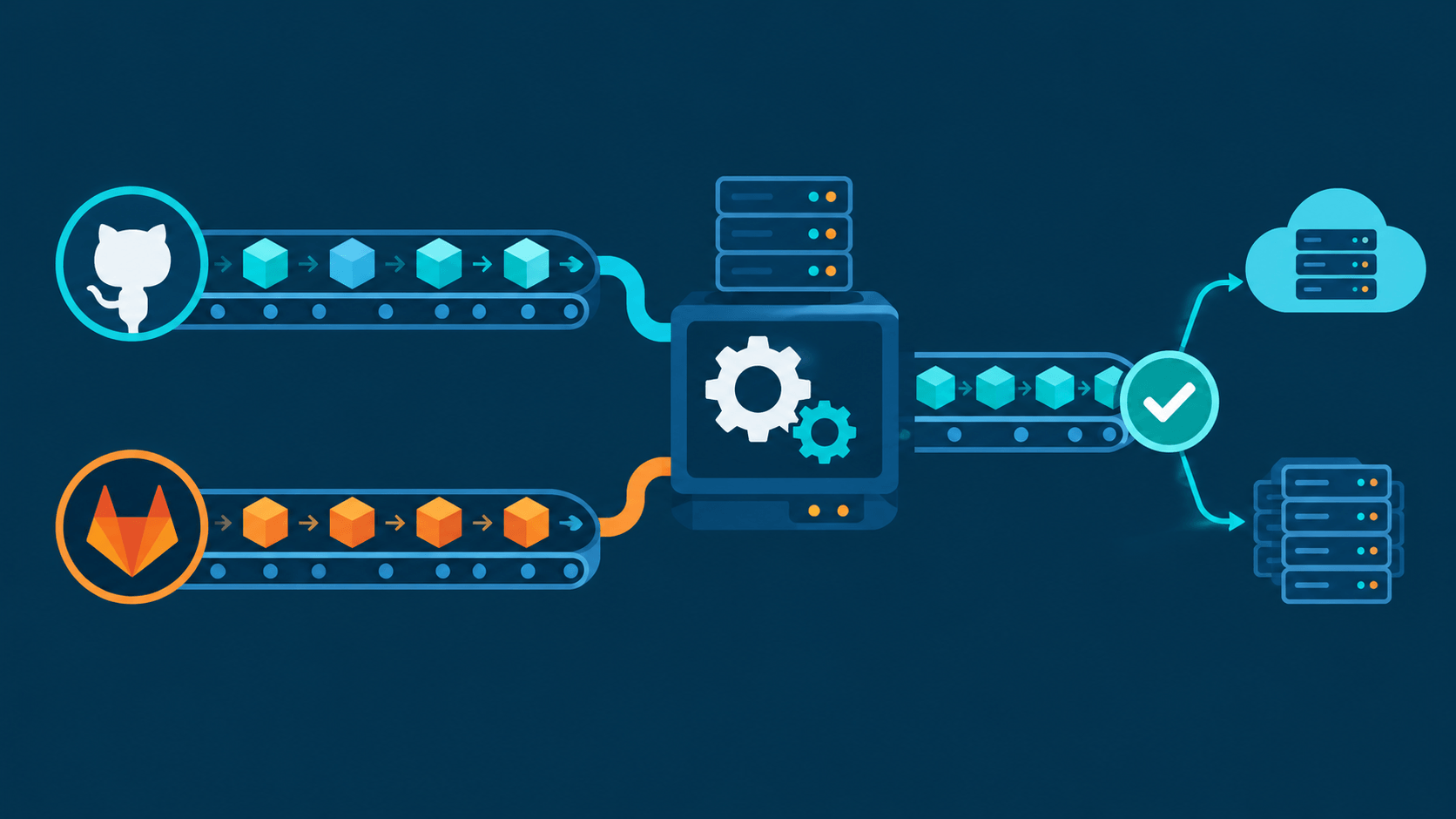
Short version: a runner is an agent process that executes CI/CD jobs. The platform (GitHub/GitLab) owns the orchestration — queueing, scheduling, logs, secrets. The runner owns the execution — clone code, install deps, run tests, report status. Hosted runners are vendor machines you rent by the minute. Self-hosted runners are machines you own, free of per-minute compute charges, but not free of your time.
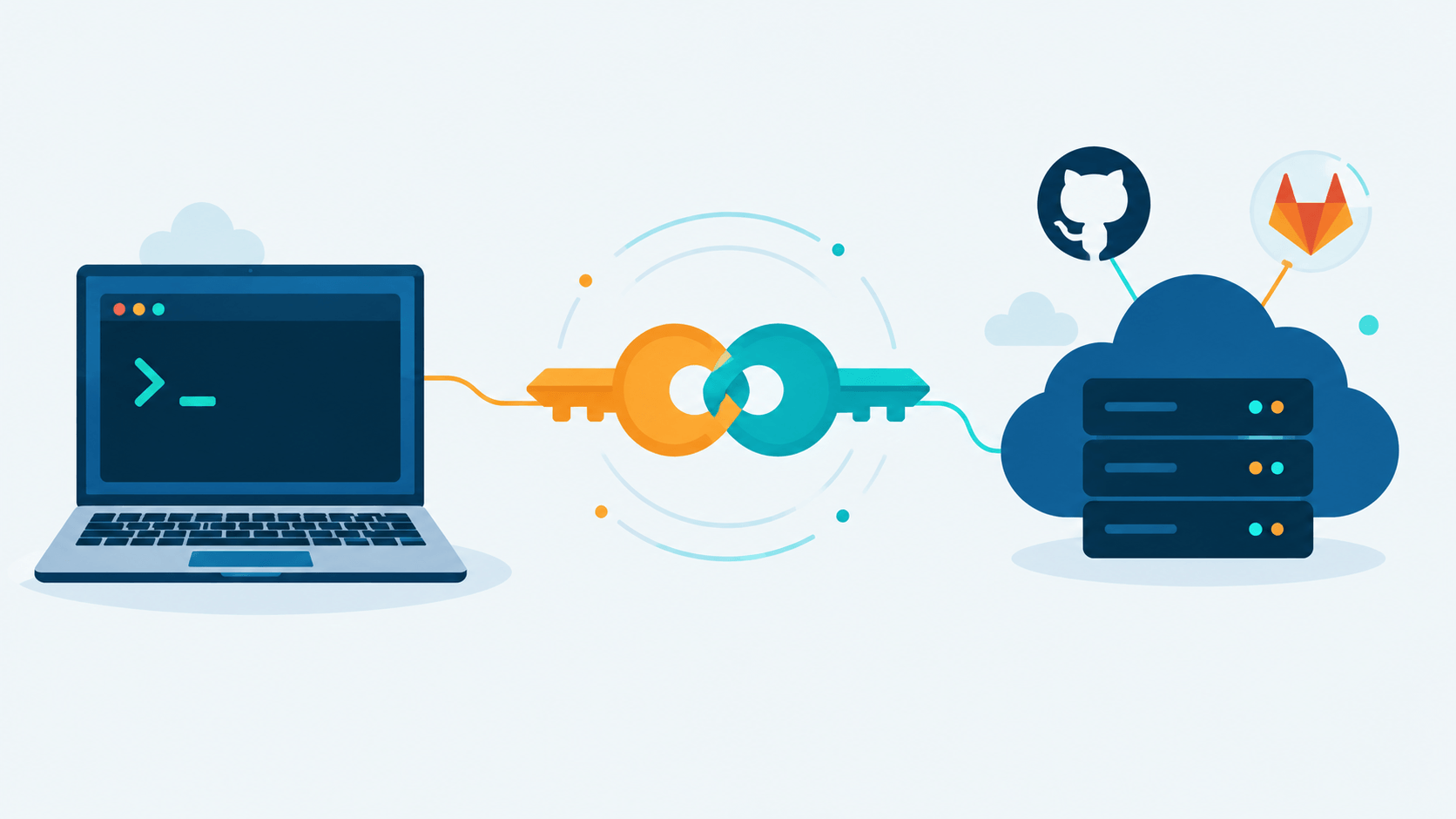
This is the companion to GitHub and GitLab SSH Keys and GitHub and GitLab PGP Keys — those get your commits authenticated, this one gets your builds executed.
Why a Runner Exists at All
CI/CD splits into two jobs:
- Orchestration — "a push to
mainshould run lint, then tests, then deploy." Triggers, dependencies between jobs, status badges, artifact storage, secrets injection, log streaming, access control. - Execution — "clone the repo into a directory, install Node 22, run
npm test, exit code 0 or 1."
Platforms do (1). They have no magic way to do (2) on your behalf without compute somewhere. A runner is that compute, packaged as a long-running agent that:
- registers itself with the platform,
- holds a connection (or polls) waiting for work,
- claims a job when one matches,
- prepares an environment, runs the script, streams output,
- reports pass/fail and exits clean.
No runner available → job sits in queue forever. Pipeline YAML is a recipe; the runner is the kitchen.
The Universal Flow
Both GitHub and GitLab implement the same model:
1. Register   Runner authenticates with platform (token), appears in runner pool
2. Trigger    Push / PR / schedule / manual click creates pipeline → jobs queued
3. Match      Platform matches job to runner (tags, labels, scope, capacity)
4. Execute    Runner claims job, prepares env, runs steps
5. Report     Logs stream live; final status written back; artifacts uploaded
The matching step is why you see runs-on: ubuntu-latest in GitHub and tags: [docker, linux] in GitLab. Those are routing hints — "only give this job to a runner that advertises this label."
Subtle but important: the platform never "logs into" the runner. The runner connects out to the platform. That means a runner behind NAT/firewall works fine, and it also means the runner machine must be trusted — it receives your source code, your secrets, and arbitrary commands from your pipeline definition.
GitHub Actions Concepts
GitHub-hosted runners
Vendor-provided VMs. runs-on: ubuntu-latest pulls a pre-built image with common toolchains (Node, Python, Go, Docker, GitHub CLI, etc.) already installed. Supported: Linux (x64, arm64), Windows, macOS, plus ARM/GPU and paid "larger runners."
Properties:
- Fresh environment per job (VM or container, depending on config).
- Auto-scaling handled by GitHub.
- Billed by the minute against your plan quota (see numbers below).
- Free forever on public repositories for standard runners.
Self-hosted runners
You install the open-source runner app on a machine you control. It registers with a token, then polls for jobs. Scope hierarchy:
| Scope | Access |
|---|---|
| Repository | One repo only |
| Organization | Multiple repos in org |
| Enterprise | Multiple orgs in enterprise |
Advanced pieces:
- Runner groups — governance boundary; control which orgs/repos can use a set of runners.
- Runner scale sets + Actions Runner Controller (ARC) — the reference implementation for autoscaling runner pods on Kubernetes. Historically Linux-container-focused. GitHub also shipped a standalone Runner Scale Set Client in public preview in early 2026 that drives the same autoscaling APIs outside Kubernetes, with Windows, Linux, and macOS support — worth a look if K8s isn't already in your stack.
- Runner app self-updates; offline more than 30 days → auto-deregistered.
- Since late September 2026, GitHub enforces a minimum self-hosted runner version (2.329.0) on GitHub.com and GitHub Enterprise Cloud: runners below that version can no longer register or re-register. If you're running self-hosted infrastructure you haven't touched in a while, check the version before you assume it's still accepting jobs.
Billing reality
| Plan | Free minutes/month (private repos) | Overage (Linux 2-core) |
|---|---|---|
| Free | 2,000 | $0.006/min |
| Pro / Team | 3,000 | $0.006/min |
| Enterprise Cloud | 50,000 | $0.006/min |
(These are the post-January-2026 rates — GitHub cut hosted-runner prices by up to 39% depending on machine type.)
Public repos: standard hosted runners free, unlimited. Self-hosted runners: no per-minute compute charge today. One caveat worth knowing — in December 2025 GitHub announced a $0.002/minute "Actions cloud platform" charge that would have applied to self-hosted runner usage starting March 2026. After pushback, GitHub postponed that change to "re-evaluate its approach," and as of this writing it hasn't been reinstated. It's a reasonable bet that self-hosted billing gets revisited again, so don't architect your cost model as if "self-hosted = permanently free" is a law of physics.
GitLab CI/CD Concepts
GitLab-hosted runners
GitLab-managed "instance runners," enabled by default on GitLab.com. Fresh VM per job. Linux, Windows (beta), macOS (beta), GPU options. Auto-scaled.
Quirk: GitLab applies a cost factor per runner type. Linux small = 1×, macOS M1 (medium) = 6×, macOS M2 Pro (large) = 12× — both macOS tiers are still flagged beta in GitLab's own docs. Your 400 free minutes evaporate fast on macOS: 400 minutes on Linux is roughly 66 minutes on a hosted M1 Mac.
Self-managed runners
Install gitlab-runner, register with a token. More granular scoping than GitHub:
| Scope | Access |
|---|---|
| Instance | Every project on the instance (admin-managed) |
| Group | All projects/subgroups in a group |
| Project | Single project |
Executors — GitLab's big differentiator
GitHub mostly says "VM or container." GitLab lets you pick how a job runs on the runner machine:
| Executor | Behavior | Tradeoff |
|---|---|---|
shell |
Runs script directly on host | Fastest, zero isolation — dangerous |
docker |
Spins a container per job | Isolated, need image management |
kubernetes |
Pod per job | Scalable, needs cluster |
virtualbox / parallels |
VM per job | Heavy isolation, slow |
docker executor is the default recommendation. shell exists for speed and for jobs that genuinely need host access (building system packages, hardware tests) — treat it as a loaded weapon.
Billing reality
| Tier | Compute minutes/month (GitLab.com) |
|---|---|
| Free | 400 per top-level group |
| Premium | 10,000 |
| Ultimate | 50,000 |
Own runners: unlimited, zero compute minutes consumed. Extra hosted minutes are purchasable at $10 per 1,000 ($0.01/min). Note: GitLab.com's Free tier requires a credit or debit card on file (verified with a $1 authorization, not a charge) before new accounts can use shared runners — a standing anti-abuse measure GitLab introduced after a wave of crypto-mining abuse on free CI minutes. No card is needed if you bring your own runner and disable shared runners on the project.
Hosted Free Tier — Pros and Cons
Pros:
- Zero setup. First CI run works minutes after writing YAML.
- No OS patching, no capacity planning, no runner monitoring.
- Fresh isolated environment per job — no cross-job contamination, clean security story.
- Auto-scales with demand; no queue backlog when 10 PRs land at once.
- Pay-as-you-go; nothing runs, nothing bills (beyond tiny storage/cache).
Cons:
- Quota burns fast. GitLab Free's 400 minutes ≈ one medium build + test suite. GitHub's 2,000 is more generous but dies under matrix builds.
- Fixed hardware. Need 16 GB RAM, 8 cores, GPU, or ARM? Pay for larger runners or go unsupported.
- No private network access by default — can't reach your internal DB, VPN, staging env.
- Cold-start latency every job: image pull / VM boot before your script even starts.
- macOS is expensive on both platforms (highest per-minute rate on GitHub; 6–12× cost factor on GitLab).
- Source code and secrets leave your trust boundary — non-starter for many compliance regimes.
Self-Hosted — Pros and Cons
Pros:
- No per-minute compute charge. Run 24/7 builds, huge matrices, nightly regressions without watching a meter.
- Full hardware control. Big machines, GPUs, ARM boards, licensed software pre-installed.
- Private network reach. Jobs hit internal registries, databases, staging clusters natively.
- Warm environment. Dependencies pre-installed, caches persistent → jobs often faster than cold hosted VMs.
- Data residency / compliance. Code never leaves your network.
- Reuse machines you already pay for (old server, spare VPS, office box).
Cons:
- You own everything: OS updates, runner updates, TLS certs, disk cleanup, uptime, on-call when CI dies at 2 AM.
- Security surface expands. Runner machine = trusted execution context with your secrets. One misconfigured runner on a public-fork-triggerable workflow = remote code execution inside your network. GitHub docs state this bluntly: never attach self-hosted runners to public repos that accept fork PRs.
- No auto-scaling out of the box. Burst traffic → queue. ARC/K8s, the newer Runner Scale Set Client, or a custom autoscaler is needed.
- Dirty state on non-ephemeral machines — leftover build artifacts cause flaky, unreproducible failures.
- Registration friction. Community complaints are real: one runner instance per concurrent job, config directories tied to install paths, quirky cancellation behavior.
- Version drift gets enforced, not just recommended. GitHub now requires self-hosted runners to stay on a current version to keep registering at all — a runner you set up once and forgot about can quietly stop accepting jobs.
The Security Line Nobody Should Skip
Hosted runners: vendor problem, mostly solved by throwing away the machine each job.
Self-hosted runners: your problem. Minimum hygiene:
- Never enable self-hosted runners on repos that run workflows from untrusted forks (public repos with PR builds). Route fork PRs to hosted runners or disable CI on fork PRs.
- Prefer ephemeral runners — machine/pod created per job, destroyed after (ARC, the Runner Scale Set Client, or cloud instances via custom autoscaler).
- If runners must be long-lived: dedicated machine, minimal privileges, no access to production credentials beyond what jobs need, network-segmented.
- Use Docker/K8s executor over shell executor unless you have a concrete reason not to.
- Restrict runner scope — repository-level beats organization-level when only one repo needs it.
Same logic applies to GitLab self-managed runners with public project MR pipelines.
Use Cases — When You Need What
Stay on hosted free tier when:
- Small-to-medium project, CI minutes under quota.
- Public open-source repo (GitHub: free unlimited).
- Standard toolchains, no special hardware.
- Team has no ops bandwidth to babysit infrastructure.
Self-hosted makes sense when:
- Free quota exhausted every month — the classic migration trigger.
- Build needs serious RAM/CPU/GPU or ARM hardware hosted tiers don't offer cheaply.
- Pipeline must reach private network resources (internal Artifactory, staging DB, VPN-only APIs).
- Compliance demands code/credentials stay in-house (fintech, health, gov, air-gapped).
- Long-running jobs (ML training, large compile matrices) that would cost hundreds of hosted dollars.
- You already run GitLab Self-Managed or GitHub Enterprise Server — hosted runners may not even be an option.
Hybrid — the pattern most teams land on:
Default to hosted for everything. Route specific jobs to self-hosted:
File: .github/workflows/ci.yml
jobs:
  unit-tests:
    runs-on: ubuntu-latest        # hosted
  gpu-training:
    runs-on: [self-hosted, gpu]   # your machine
File: .gitlab-ci.yml
unit-tests:
  tags: [saas-linux]              # hosted instance runner
gpu-training:
  tags: [self-hosted, gpu]        # your runner
Compliance-heavy build steps go in-house; everything else stays vendor-managed. Best of both: predictable cost, minimal ops burden, hard requirements met.
Cost Intuition
Rough break-even thinking for a private repo:
- GitHub Free: 2,000 Linux minutes/month. A 10-minute test suite on 5 parallel matrix legs = 50 minutes per push. ~40 pushes/month and you're done.
- GitLab Free: 400 minutes. One 5-minute pipeline = 80 pushes. Heavy pipelines overflow within days.
- Self-hosted: fixed cost of the machine (a small VPS handles most solo workloads), no per-minute compute charge on top.
If your monthly hosted overage would exceed the cost of a machine plus your time to maintain it, self-hosted wins on pure economics. Subtract the ops time — that's what makes the decision non-trivial for teams without dedicated infra people.
Decision Cheat Sheet
| Question | Hosted free tier | Self-hosted |
|---|---|---|
| CI minutes under quota? | Yes | — |
| Need private network access? | No | Yes |
| Special hardware (GPU/ARM/big RAM)? | No | Yes |
| Compliance / data residency? | No | Yes |
| Ops bandwidth to maintain runners? | — | No |
| Bursty traffic, no autoscaler? | Yes | No |
| Public repo, fork PRs? | Yes | Careful |
| Cost-sensitive at high volume? | — | Yes |
FAQ
Is self-hosted really free? No per-minute compute charge from the platform today — you still pay electricity/VPS/depreciation, the ops hours to keep it patched and current, and you're subject to whatever the platform decides billing looks like tomorrow (GitHub already floated and then paused a self-hosted platform fee once).
Can I mix both on one repo? Yes. Jobs pick runners independently via runs-on labels (GitHub) or tags (GitLab). Hybrid is normal.
What happens when all runners are busy? Job queues. Platform shows it as "Waiting for runner." GitHub hosted: auto-scales (unless capped). Self-hosted: waits until a runner frees up — this is why autoscaling matters at scale.
Hosted runner got slower / queue longer lately? Shared capacity. Vendor scaling issues affect everyone. Self-hosted dodges that problem at the cost of owning scaling yourself.
Do runners store my code permanently? Hosted: gone with the VM. Self-hosted: depends on executor and cleanup — workspace usually wiped per job, but caches, Docker layers, and forgotten /tmp files persist. Clean up or go ephemeral.
Runner is plumbing. Plumb it right — hosted for convenience, self-hosted for control, hybrid for everything in between — and CI stops being a black box and starts being infrastructure you understand.