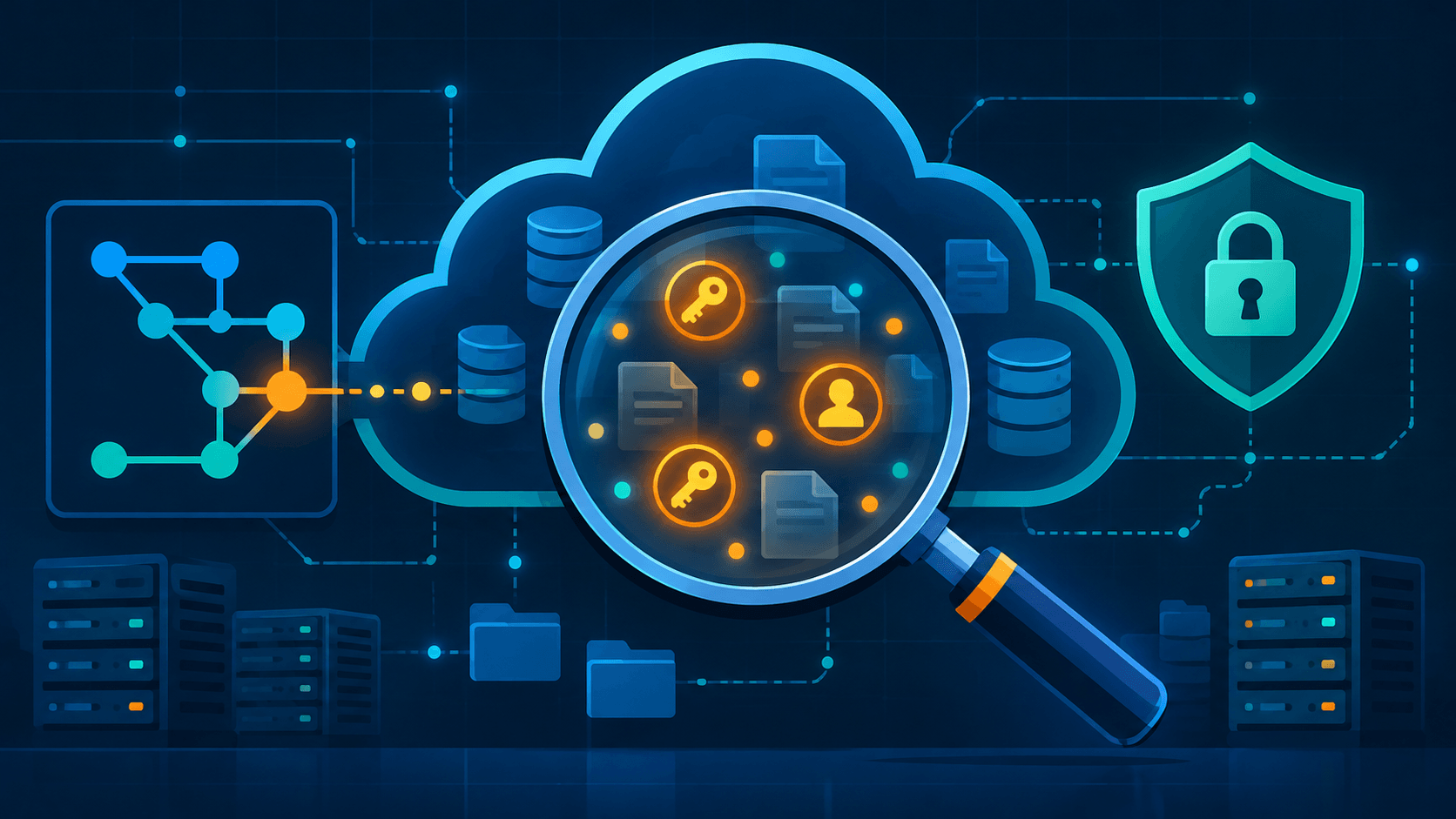
The short answer: no single tool hunts both credentials and PII across "any storage device" — that tool never existed, even in the AWS glory days. What you remember is two tool families wearing one hat: secret hunters (TruffleHog, Gitleaks, git-secrets) for credentials in code and history, and data-discovery platforms (Amazon Macie, Google Cloud Sensitive Data Protection, Microsoft Purview) for PII in cloud storage. Pick by scan surface, not by brand.
# The two commands that answer 80% of "is anything sensitive hiding in here?"
trufflehog git file://. --only-verified      # live credentials in git history
gitleaks git . --log-range=0 --redact        # everything else that smells like a secret
For PII in S3, the equivalent is one AWS console flow — Macie runs a sensitive-data discovery job and hands you findings. No CLI marathon required. Everything below explains what Macie actually is today, which counterpart covers which surface, how they compare, and why none of them became obsolete in the AI age. Comparison table at the end if you just want the screenshot.
The Macie Memory, Corrected
Before COVID, I was deep in the AWS certification treadmill — Solutions Architect one month, Security Specialty the next, labbing S3 bucket policies at midnight for fun. Then I landed at an Azure-first company, let the AWS certs lapse, and most of that knowledge went to cold storage. Except one tool stuck in my head: Amazon Macie. The pitch was memorable — a service that scans your cloud storage and finds the valuable stuff: credentials, personal data, things you did not know you were holding.
The memory, like most memories, oversells it. What I remembered was "point it at your infrastructure, get a treasure map." What it actually does: job-based sensitive-data discovery over S3 buckets, nothing else. Not EBS, not your laptop, not Azure Blob, not "any storage device." For the rest of that map, other tools grew up to fill the gap — and they are the interesting part of this story.
The other half of the memory is right, though. The category Macie pointed at — automated hunting for sensitive data before it becomes an incident — turned out to be one of the durable ideas in cloud security. The tools changed names. The idea stuck.
What Amazon Macie Is Today
Macie Classic (the 2017 ML-powered original) is gone. What exists now is Macie v2, and it is a narrower, more practical beast.
What it does:
- Runs sensitive data discovery jobs over S3 objects — scheduled or one-off, per bucket or filtered by tags/prefixes — plus an automated discovery mode that continuously samples your whole S3 estate without you scheduling anything
- Matches against 150+ managed data identifiers (AWS-built patterns for PII, credentials, financial data) and custom identifiers you define (employee IDs, internal formats)
- Emits findings — severity-scored, shippable to Security Hub and EventBridge for automation
- Covers data at rest in S3, including objects encrypted with KMS keys you allow it to use
What it does not do:
- No other storage services, natively. EBS, RDS, EFS, DynamoDB — out of scope, unless you copy the data into S3 first (AWS's own workaround, and a clunky one)
- No other clouds, no on-prem filesystems, no git repositories
- No real-time protection. It is a discovery and reporting tool, not a gate
- No automatic remediation — it tells you the bucket contains 40,000 passport numbers; you clean it up
When to reach for it: you live in AWS, your sensitive-data problem lives in S3, and you want inventory before action — what PII do I hold, where, how much. That question matters more every year: GDPR, data-residency rules, breach disclosure laws, and AI training pipelines all start with "what data do we actually have?"
When not to: your secrets live in git history (use a secret scanner), your data spans Azure and file servers (use Purview or a DSPM tool), or you want blocking at write time (Macie is too late in the pipeline).
Family 1: Secret Hunters
These tools answer one question: where do credentials live in code, history, and files? They run anywhere a shell runs — laptop, CI, pre-commit hook. They are fast, free or nearly so, and the mature part of this field.
TruffleHog
The workhorse. Scans git history, GitHub/GitLab repos, S3 buckets, GCS, Docker images, Jenkins, Slack, and more through 800+ detectors. Its killer feature: verification — for each hit it takes the credential and checks with the issuing API whether the key is actually live (an AWS key gets a real sts:GetCallerIdentity call, for example). That kills the biggest pain of secret scanning, the wall of false positives.
trufflehog git file://. --only-verified    # only report credentials that actually work
trufflehog filesystem ~/old-backup/        # sweep a directory or mounted drive
Gitleaks
The fast pattern-and-entropy scanner. Where TruffleHog verifies, Gitleaks excels at breadth and speed: full git history sweeps in seconds, --redact to keep CI logs clean, baseline files to suppress known noise. Best default for pre-commit hooks and CI gates.
gitleaks git . --log-range=0 --redact # whole history, findings without leaking findings
Worth a watch-list mention: Gitleaks' original author now works on Betterleaks at Aikido Security — a from-scratch Go rewrite pitched as a drop-in Gitleaks replacement, launched in March 2026. It is young and its long-term footing is still unproven, but if you are deep in Gitleaks configs it is worth keeping an eye on rather than adopting day one.
git-secrets
AWS Labs' own contribution, and the one most likely hiding in your muscle memory from the cert days. Tiny Bash tool, narrow job: it installs git hooks that block commits containing AWS access keys (and anything else you register as a pattern) before they land. Prevention instead of detection. It is now effectively in low-maintenance mode — AWS isn't actively building on it — but the hooks still work and it is still fine for its size. Just don't expect new detectors or active development.
detect-secrets (Yelp)
The enterprise-flavored one. Builds a baseline of known findings per repo, so the scanner reports only new secrets. That design made it a favorite in large orgs where "we found 4,000 historical secrets" is not actionable but "this PR adds one" is.
What none of them do: deep PII classification. They will catch a credit-card number by regex, but they will not tell you "this bucket holds 12,000 customer medical records." That is the other family's job.
Family 2: PII and Data-Discovery Platforms
These answer a bigger, slower question: what sensitive data do we hold, and where did it spread? Cloud-native in the big three, commercial everywhere else. The category now answers to the name DSPM — Data Security Posture Management — which is what happens when data discovery gets a Gartner label.
Amazon Macie
Covered above. S3 discovery, managed + custom identifiers, Security Hub output. The AWS-only answer.
Google Cloud Sensitive Data Protection
Formerly Cloud DLP — Google rebranded it in 2024, though the underlying API is still called the DLP API, so the old name lives on in every import statement. It remains the most capable inspection engine of the three clouds: a deep, well-documented taxonomy of 150+ infoTypes, de-identification transforms (mask, tokenize, redact) as built-ins, and inspection over BigQuery, Cloud Storage, and Datastore. Where Macie discovers, Sensitive Data Protection discovers and transforms. The CLI and API make it scriptable, which keeps it honest as a "command line tools" answer.
Microsoft Purview
Microsoft's answer, and the natural fit if your company went Azure-first like mine did. Purview's Data Map scans and catalogs data across Azure, Microsoft 365, on-prem SQL and file shares, and third-party clouds (it has native connectors for S3, BigQuery, Snowflake, and Databricks too), then classifies it with built-in and custom classifiers tied to the same sensitivity-label taxonomy used across Microsoft 365. Its strength is breadth of estate — one map for a messy hybrid sprawl. Heavier than the others to stand up, and licensed separately from the Microsoft 365 compliance bundle most orgs already pay for.
BigID, Nightfall, Spirion and the DSPM field
Commercial specialists. BigID for enterprise data mapping and privacy compliance, Nightfall for API-first DLP with strong developer ergonomics, Spirion for old-school endpoint/PII discovery on actual storage devices — the closest thing to the "any storage device" tool of memory. These fill the gaps the big-three clouds leave: multi-cloud, on-prem, laptops, file shares.
The Comparison Table
| Tool | Hunts | Scan surface | Runs where | Cost | AI features |
|---|---|---|---|---|---|
| Amazon Macie v2 | PII, credentials in data | S3 objects only | AWS-managed jobs | Per bucket + per GB scanned | ML classifiers, 150+ managed identifiers |
| TruffleHog | 800+ credential types | Git, filesystems, S3, GCS, Docker, Slack, more | Any shell / CI | Free (OSS) | Verification via live APIs |
| Gitleaks | Secrets by pattern + entropy | Git history, files | Any shell / CI / pre-commit | Free (OSS) | None (deterministic) |
| git-secrets | AWS keys, custom patterns | Commit-time only | Pre-commit hook | Free (OSS) | None |
| detect-secrets | Secrets vs baseline | Files, commits | CI, hooks | Free (OSS) | None |
| Google Cloud Sensitive Data Protection | PII (150+ infoTypes) | GCS, BigQuery, Datastore | GCP API / CLI | Per GB inspected | ML + context-aware detection |
| Microsoft Purview | PII, sensitive data | Azure, M365, on-prem, multi-cloud | Managed service | Per capacity/scan | ML classifiers, document understanding |
| BigID | PII, dark data, sprawl | Multi-cloud, DBs, file shares | SaaS / enterprise | Commercial | ML clustering, correlation |
| Nightfall | PII + secrets | SaaS apps, repos, clouds | API-first | Commercial | ML detectors |
| Spirion | PII | Endpoints, file servers, "any device" | Agent-based | Commercial | Pattern + ML classification |
Reading the table: no row covers every column. That is the honest answer to "is there a tool that hunts everything everywhere" — the market split into two families for a reason. Secrets are cheap and fast to hunt; PII classification needs heavier machinery.
Does Any of This Still Matter in the AI Age?
Short version: more than before, and the tooling is quietly merging. Three forces make that true.
1. AI eats more data, so discovery matters more. Every company now has a data-hungry pipeline — RAG indexes, fine-tuning corpora, agent memory. Every one of them starts with "gather everything." That is exactly how a passport scan from 2019 ends up in a vector database and then, eventually, in a model's context window. Macie-style discovery is the gate before ingestion: know what you are feeding the machine.
2. AI agents leak secrets faster than humans did. GitGuardian's State of Secrets Sprawl 2026 report put real numbers on this: 28.65 million new hardcoded secrets landed in public GitHub commits in 2025 — a 34% jump year over year and the biggest single-year increase GitGuardian has ever recorded. Secrets tied to AI services specifically grew 81% year over year, the fastest-growing category in the whole dataset, and commits produced with AI coding assistance leaked secrets at roughly twice the platform-wide rate. Agents write and commit code at machine speed, and it shows. A pre-commit gitleaks hook is a two-dollar guardrail against a very expensive mistake. The deterministic tools got more relevant, not less.
3. AI is joining the scanner side too. Macie, Purview, and BigID all lean on ML classifiers now; LLM-based detection is arriving as a layer that understands unstructured context regex cannot ("this Slack export contains patient diagnoses, no ID numbers required"). But notice the tradeoff: an LLM scanner sends your sensitive data to a model to find out if it is sensitive. Deterministic scanners stay local, cheap, and fast. The sane stack is boring on purpose — regex and entropy first, ML classification second, LLM judgment only where the first two stall.
So the certification-era instinct was right even if the tool list aged out: automate the hunt for valuable data before someone else automates it. The 2026 version of that instinct runs TruffleHog in CI and a discovery job over whatever cloud storage you keep. Different vendors, same idea, more urgency.
The Checklist
Copy-paste version for whoever has to actually do this:
# 1. Secrets in code and history (do this first — it is free and fast)
gitleaks git . --log-range=0 --redact
trufflehog git file://. --only-verified

# 2. Secrets in loose files or old backups
trufflehog filesystem ~/suspicious-backup/

# 3. Live AWS credentials found anywhere -> ROTATE, do not just delete
#    aws iam list-access-keys --user-name <user>  then deactivate/delete
Then the PII side, one item per cloud:
- AWS: Macie → one-off discovery job over every bucket that ever held customer data → triage findings → Security Hub for tracking
- GCP: Sensitive Data Protection inspection job over GCS/BigQuery → use the de-identification transforms if you must keep the data
- Azure/hybrid: Purview scan → classify → map what you hold before any AI project touches it
- Multi-cloud or on-prem sprawl: BigID or Spirion trial; nothing cloud-native reaches laptops and file shares
Rules of thumb that survive tool churn:
| Rule | Why |
|---|---|
| Scan history, not just working tree | Deleted secrets live in commits forever |
| Rotate, never just delete | A removed key is still a valid key |
| Verify findings when you can | Live checks beat regex walls of noise |
| Discover before you ingest | Especially before AI/ML pipelines touch the data |
| Prevent at commit, discover at rest | Two families, two pipeline stages — run both |
The tools will get new names. Amazon Macie might merge into something bigger, the DSPM acronym might fade like so many others. The job — hunting what is valuable in your storage before it costs you — only grows. Keep a scanner in your CI and a discovery job on your storage, and you are current, certs or no certs.
Quick Vocabulary
A few terms get thrown around a lot below — here's the short version of each:
- PII (Personally Identifiable Information): Data that can identify a specific person — names, SSNs, passport numbers, medical records, that kind of thing.
- Secret / credential: API keys, access tokens, passwords, private keys — anything that grants access rather than identifies a person.
- Finding: What a scanner reports when it matches something sensitive — a specific hit, with location and severity.
- Managed data identifier: A built-in detection pattern a vendor ships for you (Macie's library of 150+ PII/credential patterns, for example). You don't write these — you just turn them on.
- Custom data identifier: The same idea, but one you define — for internal formats like employee IDs that no vendor would know about out of the box.
- infoType: Google's name for the same concept as a managed data identifier — a recognized sensitive-data pattern (SSN, credit card, etc.) in Sensitive Data Protection.
- Verification: A scanner actually testing a found credential against its real API to confirm it's live, instead of just flagging it by pattern. TruffleHog's defining feature.
- Entropy (in secret scanning): A randomness score used to flag strings that look like generated secrets, even without matching a known pattern — Gitleaks leans on this heavily.
- Baseline: A saved snapshot of known/accepted findings, so a scanner only flags new ones going forward (detect-secrets' core design).
- DSPM (Data Security Posture Management): The current industry label for the "find and classify sensitive data across your estate" category — what Macie, Purview, and BigID all compete in.
Wrapping Up
Macie turned out to be a much smaller tool than my memory of it — but the gap in my memory was really two product categories wearing one old name. Once you split secrets from PII, pick by scan surface instead of by brand, and run both a commit-time scanner and a storage-side discovery job, the rest mostly takes care of itself.
None of this is a one-time project, either. New repos get created, new buckets fill up, and AI pipelines keep finding new ways to swallow data nobody meant to expose. A scanner that only runs once is just a very thorough way of describing last month's problem. Put gitleaks or trufflehog in CI, point a discovery job at whatever cloud storage you actually use, and let them run on a schedule instead of a memory.