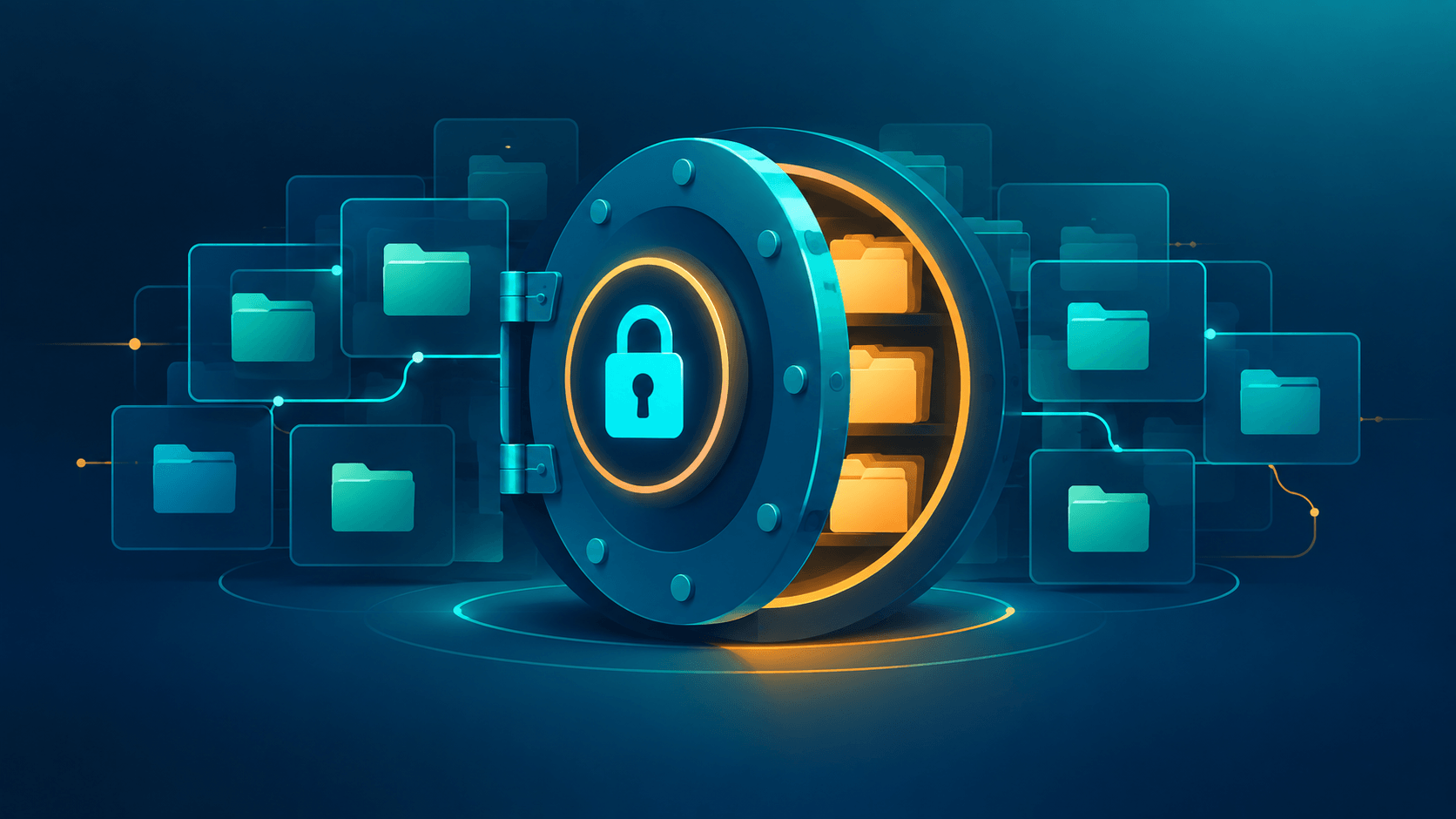
Disk encryption is not hard to find anymore. Windows ships BitLocker, macOS ships FileVault, and most Linux installers offer LUKS. All three are decent, but all three are built by the OS vendor and tied to that OS. If your threat model includes the platform vendor, a device thief with a court order, or a government that can compel the OS maker, "built-in" is exactly the wrong word.
VeraCrypt takes the opposite position. It is a free, open-source disk encryption tool for Windows, macOS, and Linux. It creates encrypted volumes (file containers, partitions, and whole drives) that only your password, plus an optional keyfile and PIM, can open. There is no vendor key, no cloud recovery, and no telemetry. And if an attacker tries to force you to reveal a password, it offers something no built-in tool does: plausible deniability through hidden volumes.
This article combines a security deep dive with a practical guide, written after more than a decade of using VeraCrypt (and its predecessor, TrueCrypt) across Windows, Linux, and macOS. Version details reflect VeraCrypt 1.26.29, released June 9, 2026. I checked the release notes and CVE records against the project's own sources, and I've noted where a claim comes from my own experience rather than from project documentation.
Read This First if You Use Hidden Volumes
If you created hidden volumes inside file containers with VeraCrypt 1.26.6 through 1.26.28, the project warns that those hidden volumes may no longer give you the plausible deniability you were counting on.
The issue is CVE-2026-54073. When creating a file-hosted hidden volume, VeraCrypt wrote plaintext zero sectors at predictable 128 MiB intervals, inside the area that should look like random ciphertext. The encryption itself was not weakened, and the hidden contents were not exposed. But plausible deniability depends on the container looking like nothing, and a deterministic pattern is exactly the sort of evidence a forensic examiner looks for.
Version 1.26.29 fixes the bug, but it does not repair existing containers. The project's guidance is to create a new outer container and hidden volume with 1.26.29 or later, move your data over, and securely erase the old container.
What VeraCrypt Is
VeraCrypt is a fork of TrueCrypt, created in 2014 shortly after that project was abruptly discontinued. It is based on the TrueCrypt 7.1a source, maintained by IDRIX (Mounir Idrassi), open source on GitHub, and distributed with signed releases.
- On-the-fly encryption. Data encrypts on write and decrypts on read, in real time. No temporary unencrypted files hit the disk.
- Volume types. File-hosted containers, partitions, whole physical drives, and hidden volumes inside any of those.
- Cross-platform. The same format mounts on Windows, Linux, and macOS, so data moves between machines without conversion.
- Header encryption. Without the password, an attacker cannot reliably tell a VeraCrypt volume from random bytes. This is the basis of plausible deniability.
What Changed in 1.26.29
The June 2026 release brings several changes worth knowing about:
- Argon2id is available as a memory-hard key derivation option for non-system volumes.
- CVE-2026-54073 is the hidden-volume fix described above.
- CVE-2026-53762 affects only non-default builds compiled with
WOLFCRYPT=1, which now use wolfCrypt PBKDF2 and honor VeraCrypt's iteration count. If you run a standard binary, this doesn't apply to you. - Linux gains build support for FUSE3.
- Windows gets a fix for a rare driver BSOD that was introduced in 1.26.6.
The Cryptography
Ciphers
You can pick the cipher per volume: AES (the default, hardware-accelerated), Serpent, Twofish, Camellia, and Kuznyechik. You can also chain two or three ciphers, such as AES-Twofish-Serpent, so breaking the volume means breaking every cipher in the chain. All of them run in XTS mode, the disk encryption standard that LUKS, BitLocker, and FileVault also use.
My practical take: AES with hardware acceleration is the right default. Cascades multiply CPU cost to guard against a hypothetical cipher break. That's real defense-in-depth, but it's paranoid-grade. Pick AES unless you have a specific reason not to.
Key derivation: PBKDF2, PIM, and Argon2id
This is where VeraCrypt diverges sharply from its ancestor.
TrueCrypt's PBKDF2 iteration counts were low, around 2,000 in the figure most often cited. VeraCrypt's PBKDF2 default for file containers and non-system partitions is 500,000 iterations, roughly 250 times the work per password guess. The delay happens once, at mount time.
PIM (Personal Iterations Multiplier) tunes this directly:
- PBKDF2 volumes:
iterations = 15000 + (PIM × 1000), so PIM 485 gives the 500,000 default. - Argon2id volumes: the default parameters are equivalent to PIM 12, which means 416 MiB of memory and six passes.
A small PIM means faster mounts and weaker brute-force protection. VeraCrypt enforces minimum PIMs to stop you from trading away security for speed. For passwords under 20 characters, the floor is PIM 12 for Argon2id and PIM 485 for PBKDF2 on non-system volumes. Passwords of 20 characters or more can go as low as PIM 1, which is the trade-off I'll explain next.
Argon2id is new in 1.26.29 for non-system volumes. Unlike PBKDF2, it is memory-hard: each guess costs the attacker RAM, not just CPU. That erases much of the GPU and ASIC advantage that makes dictionary attacks practical. My existing volumes are still PBKDF2 because they predate the change. Any new non-system volume I create now should use Argon2id. Two caveats: Argon2id is not available for system encryption, which still uses PBKDF2, and volumes created with Argon2id can only be opened by VeraCrypt 1.26.29 or later. Every machine that needs the volume has to be updated first.
The tuning trick from years of use: pair a long passphrase with a low PIM. On a PBKDF2 volume, a 30-plus-character passphrase at PIM 50 mounts quickly, yet stays far harder to crack than an 8-character password at the default PIM. PIM is part of the credentials. A wrong PIM produces the same "incorrect password" error as a wrong password, so keep a record of your PIM somewhere safe. Don't read this trick as permission to go low on PIM with a short password, because the minimums exist for exactly that case.
Keyfiles
A keyfile's contents feed into key derivation alongside your password, so both factors are required. VeraCrypt includes a keyfile generator. Any file works, but a generated random file is safer than a document you might edit later.
Cautions from long experience:
- Lose the keyfile, lose the volume. There is no recovery. Back it up separately.
- Password caching stores processed keyfile contents too.
- Keyfiles are not supported for system encryption.
Hardware-backed options exist as well. Security tokens and smart cards work through PKCS#11. Since 1.26.7 (October 2023), EMV banking cards can also serve as keyfiles for non-system volumes. No card PIN is required, and the keyfile is generated from data on the card, so you need a compatible reader. The lack of a PIN is convenience, but it also means anyone holding the card and a reader is part of the unlock equation. Treat the card as one factor, not a lock.
The Threat Model: What VeraCrypt Does Not Protect
Encryption tools are sold on what they do. An honest assessment also needs the inverse list.
Protected against: a powered-off stolen laptop, a seized USB drive, and an attacker who has the disk image but not your credentials.
Not protected:
- An attacker at the keyboard while the volume is mounted. To the running OS, a mounted volume is just a disk. Malware or a coercive operator can read the files freely. VeraCrypt protects data at rest, not live sessions, so lock the volume when you step away.
- Metadata on external media. Partition tables, file sizes, and labels on other partitions can survive. A hidden volume only helps if the outer volume holds real-looking cover files.
- SSD wear leveling. The controller may leave old blocks in place after an overwrite. OS-level full-disk encryption handles SSDs better than file-level encryption. On flash drives, assume deleted data may persist.
- Evil maid attacks. System encryption authenticates the boot loader, but unlimited physical access plus time is beyond any software tool's reach.
- Network exfiltration. VeraCrypt encrypts volumes, not connections.
- Weak passwords. Every protection above collapses against a guessable passphrase. The KDF delay stretches the work factor of a strong passphrase, but it cannot rescue a weak one.
The honest summary: VeraCrypt keeps data safe from people who have your disk but not your credentials. It is not a general-purpose privacy tool, and it does not compensate for endpoint compromise.
Cross-OS Gotchas From Daily Use
Linux: mount and unmount friction
- The CLI beats the GUI.
veracrypt -thandles text-mode create and mount, andveracrypt -d /mnt/pointunmounts. These are essential over SSH and in scripts. - Root matters. Mounting partitions requires elevated privileges. A GUI failure without elevation can show up as a confusing "wrong password" message, and a wrong PIM produces a very similar error. Check permissions before you blame the password.
- Desktop automounters interfere. GNOME's gvfs and similar tools grab removable devices. A partition that vanishes on plug-in is usually the desktop's automounter, not a VeraCrypt failure. Unmount what grabbed it (
udisksctl unmount), or disable automount for the session. - Stale mountpoints. An unclean shutdown can leave mount directories behind that block later mounts with cryptic "already mounted" errors. Check with
mount | grep <point>, then clean up with a lazyumount -l. This bit me on a container I'd used across years of reboots. - FUSE3. The 1.26.29 release adds build support for FUSE3. If you build from source, confirm which FUSE library your build links against.
macOS: FUSE is the main decision
- Apple silicon: consider FUSE-T. On M-series Macs, the macFUSE kernel extension requires you to allow third-party kernel extensions in recovery mode, and many people reasonably refuse to lower that security setting. VeraCrypt has supported FUSE-T as an alternative to macFUSE since version 1.26.14 (August 2024). FUSE-T runs in user space, with no kernel extension. It's a little slower, which doesn't matter for document-sized containers.
- Gatekeeper friction. Verify the official build's signature and checksums, then allow it in System Settings → Privacy & Security.
- Unmount before long sleeps. Journaling usually recovers a container written during hibernation, but "usually" is doing a lot of work in that sentence.
Windows: smooth, with two sharp edges
- Do not stack on BitLocker. System encryption and BitLocker conflict with each other. File containers have no conflict.
- Driver load order. A mount that fails right after boot on a locked-down machine often means endpoint protection blocked the VeraCrypt driver. Check your security software's logs before you blame the volume.
The mount discipline
One habit prevented the most trouble across a decade: treat a mounted volume as an open door. Mount only what you need, when you need it. Lock when you walk away. Unmount before sleep, before unplugging, and before handing the machine to someone else. Elegant encryption doesn't help when someone is watching you type.
TrueCrypt Migration: Finish It Now
If you still have TrueCrypt volumes from the pre-2014 era, 2026 is a good time to finish migrating.
- TrueCrypt mode was removed in VeraCrypt 1.26.7 (October 2023). RIPEMD-160 and GOST89 were removed in the same release, so volumes that use those algorithms won't mount on current builds. VeraCrypt 1.25.9 still opens and converts TrueCrypt-format volumes.
- The migration path: mount the old volume with 1.25.9, copy the contents out, create a fresh volume with modern parameters (Argon2id if every machine that needs it runs 1.26.29, otherwise the 500,000-iteration PBKDF2 default), and copy the data back in.
- My own migration was quick. Copy-based conversion took minutes per volume, and the older iteration counts were obvious in mount speed. They also tell an attacker who steals the volume how cheap guessing would be.
Don't run both tools side by side longer than the migration requires. Two disk-encryption tools with different driver sets on one machine is a support problem waiting for a bad day.
Practical Recommendations
Choose a volume type:
- File container: the best default. It's portable, easy to back up, and supports hidden volume layering.
- Partition or whole drive: for data that never leaves the machine. On SSDs, use OS-native full-disk encryption as the base layer and put VeraCrypt containers on top for cross-OS portability.
- USB drive: a VeraCrypt partition works well. The flash wear-leveling caveat applies, so treat deleted files as potentially recoverable.
Back up two things:
- The header. Make one when you create the volume, and refresh it with VeraCrypt's header backup function. A corrupted header means a dead volume, and the backup restores it.
- The data, encrypted, in a separate location. Header backups and keyfiles should never live in the same drawer as the volume.
Store the password, PIM, and keyfile locations in a password manager or a physical safe, not next to the drive.
Verify downloads. Each release ships with SHA-256 and SHA-512 checksum files and signature files. Check them against keys you fetched through an independent channel.
A layered setup that has served me for years:
OS full-disk encryption (BitLocker / FileVault / LUKS)
  └── VeraCrypt file container for sensitive work
        └── hidden volume inside it, recreated with 1.26.29+
Each layer answers a different question. The OS layer protects a stolen device at rest. The container holds a separate credential set that survives OS compromise or a device handoff. The hidden tier addresses coercion, but only if it was created with 1.26.29 or later. None of these layers protects a logged-in session against malware. For that you need offline copies and hardware tokens.
Conclusion
VeraCrypt in 2026 is a more mature and more cautious tool than its TrueCrypt ancestry. Its PBKDF2 default does roughly 250 times the work per guess, its ciphers run in XTS mode, Argon2id is available for new non-system volumes, and it has been willing to drop legacy support that had to go.
Its value hasn't changed since 2014: encryption you can verify, on volumes no vendor can open, portable across every desktop OS you own. The cost is discipline. Remember your PIM, verify your backups, mount only when you need to, and unmount before the machine sleeps. And if you have hidden volumes from 1.26.6 through 1.26.28, recreate them now.
Use Argon2id for new volumes, pick a long passphrase over a complicated short one, keep the header backup somewhere the volume is not, and treat a mounted volume like an unlocked door.