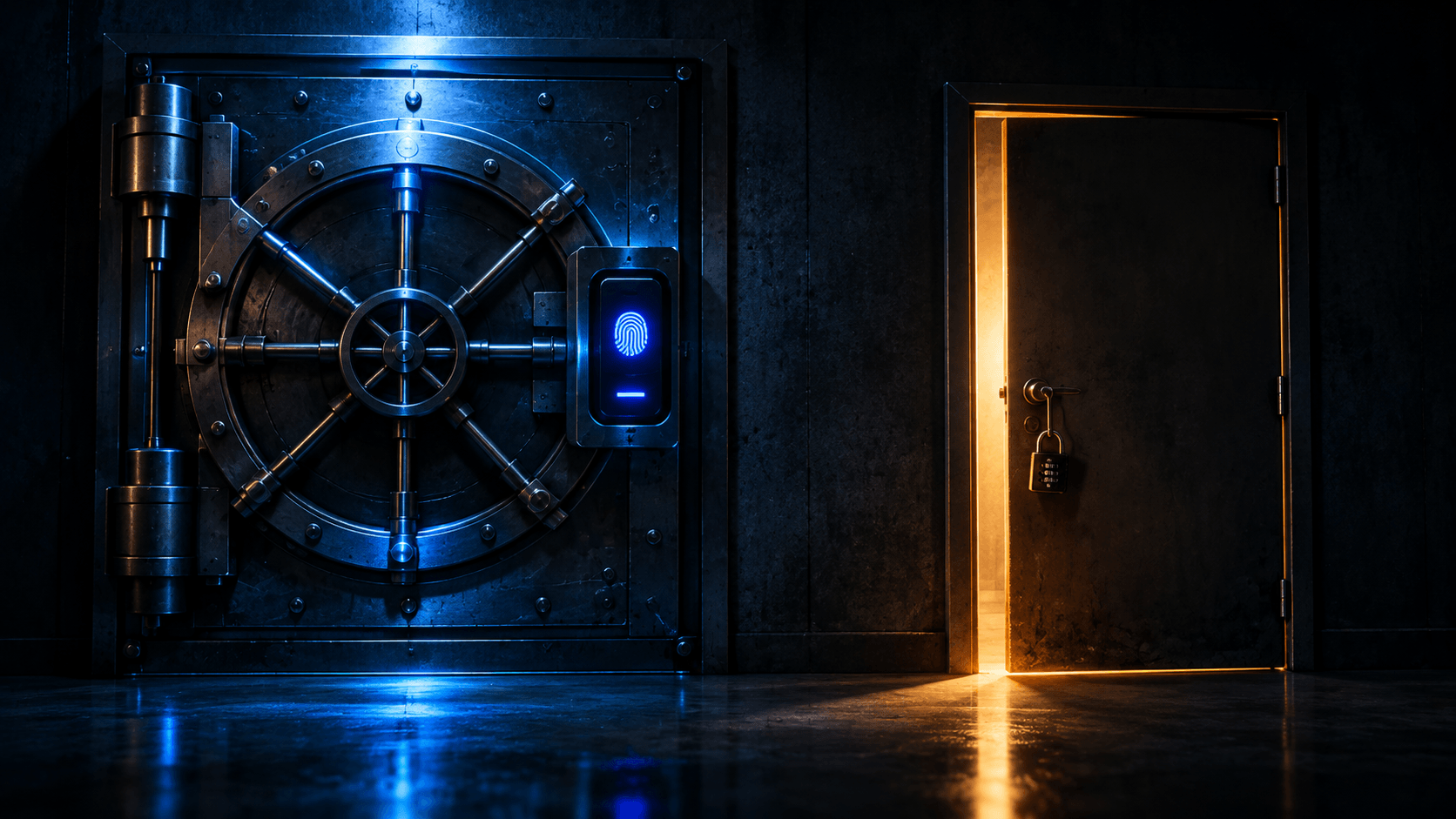
You built a fortress. Hardware security keys, zero-trust policies, phishing-resistant FIDO2 login. Your security dashboard is green.
Then someone clicks "Forgot Password?" — and walks in through the back door.
This is not a theoretical edge case. It is the default design of most web applications. The login page gets hardened; the recovery flow ships with a single email link, a security question, or an SMS code. Every hour your team spends strengthening primary authentication is neutralized by a fallback channel that never received the same scrutiny.
The core problem: authentication systems are only as secure as their weakest fallback mechanism. Account recovery channels exist outside the primary authentication perimeter by design. When recovery is weaker than login — and it almost always is — the effective security of your account is the security of the recovery path. Not the login path.
This guide is for developers, security engineers, and web architects who need to close the gaps in the account management lifecycle. We will dissect why recovery flows act as forced security downgrades, catalog the attack vectors that exploit them, look at what real breaches cost, and end with an implementation blueprint plus a checklist you can run against your own stack today.
Why Primary Auth ≠ Real Security
The Asymmetry
Modern primary authentication is genuinely strong. Recovery authentication is genuinely weak. The gap between them is where accounts die.
| Layer | Typical Methods | Attack Resistance |
|---|---|---|
| Primary Auth | Passkeys, WebAuthn, FIDO2 hardware tokens, platform authenticators | High — origin-bound signatures, phishing-resistant, brute-force resistant |
| Recovery Auth | SMS codes, email reset links, security questions, helpdesk overrides | Low — interceptable, relayable, social-engineerable, OSINT-friendly |
A FIDO2 assertion is cryptographically bound to your domain. An attacker running a perfect phishing proxy gets a signature for the wrong origin, and your server rejects it. That is real security.
Now the same attacker hits "Forgot Password?". If the reset link lands in an inbox the attacker already controls, all of that cryptographic strength evaporates. The hardware key never gets a chance to speak.
This asymmetry is rarely malicious. It is structural. Recovery exists precisely for the case where the strong factors are unavailable — the key is lost, the phone is broken, the user is locked out. So the recovery path must work when the primary path cannot. That constraint, taken to its logical conclusion, produces a path that works without the primary path's guarantees.
The Downgrade Attack
Call it what it is: a downgrade attack, implemented by your own product team.
In protocol design, a downgrade attack forces a connection to negotiate weaker ciphers than both sides could support. TLS had SSLv3 fallback for years — a compatibility feature that let attackers strip the connection down to breakable crypto. The parallel to account recovery is exact.
The user presents a strong credential at login. The system, faced with a recovery request, silently switches to whatever fallback exists: an email link, a text message, a mother's maiden name. The attacker never defeats the strong factor. The system hands them a weaker one, on demand, because UX requires it.
No exploit needed. No zero-day. Just the documented recovery flow, functioning as designed.
Three properties make this a true downgrade rather than a mere "alternative path":
- It is triggered by the attacker's choice, not the legitimate user's — anyone can initiate a reset for any email address.
- It terminates in a session equivalent to a full login — no degraded privileges, no step-up, no audit flag that says "this account was recovered, not authenticated."
- It is universally deployed — every application with a password reset button ships this mechanism, usually with lower assurance than login.
UX vs. Security: Why Teams Ship the Weak Path
Product teams are not incompetent. They are optimizing for the wrong metric, under real pressure.
- Support cost. Locked-out users file tickets. Every hour of engineering time spent building a secure recovery flow costs more than the SMS API subscription. "Just email them a link" ships this week.
- Churn. A user who cannot get back in cancels. Security that blocks recovery is measured in lost revenue; security that blocks a hypothetical attack is measured in nothing, because the breach hasn't happened yet.
- Asymmetric visibility. A frictionless reset flow shows up in funnel metrics on day one. A hardened recovery flow's benefit shows up as the absence of an incident, forever.
So recovery becomes the escape valve — deliberately lower assurance, deliberately frictionless, deliberately outside the security review. The result is a system where the strongest controls protect the door, and the weakest controls protect the spare key.
Common Recovery Vulnerabilities & Attack Vectors
Email Compromise as the Master Key
If recovery relies on a password reset link sent by email, then email is your identity provider. Full stop.
Compromise a user's email account and you hold the master key to everything registered to that address: banks, cloud consoles, source control, social media, the app where they stored their hardware-key enrollment. One inbox, total cascade.
This renders hardware MFA functionally useless in two steps:
- Attacker gains access to victim's email (phishing, infostealer malware, reused password, session cookie theft, or a prior breach of the mail provider).
- Attacker initiates "Forgot Password?" on target application. Reset link arrives in the compromised inbox. Password changed. Session issued.
Your YubiKey never participates. The WebAuthn challenge never fires. The enrollment that took your security team a quarter to roll out is bypassed by a form field.
The severity scales with reuse: users who register the same email across dozens of services convert one inbox compromise into a portfolio-wide takeover. Password managers and unique passwords do not help — the recovery flow never asks for the password.
SIM Swapping and SMS Interception
SMS-based recovery rests on the security of the telecommunications network, which is not good.
- SIM swapping. Attacker calls the carrier's porting department, impersonates the subscriber using data harvested from breaches and social media — name, last four digits, "I lost my phone, here's my new SIM's ICCID." The carrier moves the number. Every SMS code now lands on the attacker's device. No victim device is touched, no malware installed, no notification the victim sees until their data plan stops working.
- SS7 exploits. The signaling protocols that route SMS between carriers were designed decades ago, authenticated with implicit trust, and never rebuilt. Nation-state and criminal actors with SS7 access can redirect SMS traffic remotely — no carrier interaction required.
- Interception at the edge. Voicemail-to-email defaults, carrier-side account portals, and malware with SMS-reading permissions all provide alternate reads of the same channel.
Regulators noticed. NIST SP 800-63B formally classifies SMS/PSTN delivery as a "restricted authenticator" — not banned outright, but usable only if an organization documents the risk, commits to a migration plan, and accepts that the risk will keep growing. That guidance covers primary authentication — but the same channel used as a recovery fallback inherits the same weaknesses, while typically facing far less scrutiny.
Crypto exchanges, high-value social handles, and executive email accounts remain the preferred SIM-swap targets precisely because the payoff is immediate and the attack is repeatable.
Weak Knowledge-Based Authentication
Mother's maiden name. First pet. High school mascot. Name of the street you grew up on.
Security questions are a second password with none of a password's properties:
| Property | Password | Security Question |
|---|---|---|
| Chosen by user | Yes | Often assigned ("select your first pet") |
| Entropy | Potentially high | Low — small answer space |
| Kept secret | Enforced | Impossible — answer is public or semi-public |
| Changeable | Yes | Frequently locked after account creation |
| Findable via OSINT | No | Usually yes |
The answer to "what high school did you attend?" is on your LinkedIn profile. "Mother's maiden name" appears in obituaries and public records. "First pet" appears in a decade of social media posts. Attackers do not brute-force these — they read them.
KBA's only remaining use case, knowing-the-answer-to-a-question-the-attacker-cannot-research, fails because attackers can research it, cheaply, at scale, automated, against every account you have. KBA is not a fallback factor. It is a decoration on an open door.
Verdict: eliminate security questions entirely. There is no safe configuration. If your schema has a security_question column, schedule its deletion.
Social Engineering the Support Desk
When every technical channel fails, attackers go after the humans.
The helpdesk override — "I lost my phone, can you disable MFA?" — is the universal solvent of account security. Attackers exploit it with:
- Identity impersonation. Calling or chatting as the account owner, armed with OSINT: full name, address, recent purchases, last four digits of a card from a breach dump. Enough to pass a "verify who you are" script written for convenience, not adversarial conditions.
- Urgency and authority narratives. "I'm on a flight, I need access for a board meeting." "I'm locked out of the production console and the site is down." Helpdesk agents are rewarded for resolving tickets, and an executive voice on the line accelerates resolution.
- Procedural probing. Attackers call twice, ask different questions each time, and map the verification script — what the agent checks, what they don't, where discretion applies. Scripts leak through repetition.
The uncomfortable truth: many organizations spent a year enforcing MFA, then left a phone line open that disables it in three minutes. The helpdesk is a recovery channel. Audit it like one.
Race Conditions & Insecure Token Generation
Not all recovery attacks require a human target. Some just require sloppy code.
- Predictable tokens. Reset tokens generated from
random()seeded with time, sequential IDs, or short entropy are guessable. Token must come from a CSPRNG —secrets.token_urlsafe(32)in Python,crypto.randomBytes(32)in Node — with at least 128 bits of entropy. - No expiration. A reset link valid forever is a permanent weapon sitting in an old email, a leaked backup, a proxy log. Lifetime should be measured in minutes-to-hours, not days.
- Lack of single-use enforcement. Tokens that work multiple times turn an intercepted link into a reusable credential. Invalidate on first successful redemption — atomically.
- Missing rate limiting. An endpoint that lets an attacker request unlimited codes, or submit unlimited guesses, converts any 6-digit fallback code into a solved problem with enough attempts. Rate limit both the request side (per-account and per-IP) and the verification side (per-token, with lockout).
- User enumeration. Reset endpoints that return "no account found" versus "check your email" confirm which addresses are registered — handing attackers a clean target list. Respond identically in both cases.
- Token-not-bound-to-account-state. A token minted before a password change or MFA enrollment should be invalidated when account state changes. Otherwise a stale link resurrects access the user thought they had revoked.
Concretely — this is illustrative pseudocode, not tied to any one framework's actual password-reset handler, so adapt the surrounding transaction logic to your own codebase:
# Broken: predictable, immortal, reusable
token = str(int(time.time()))          # guessable
db.store_reset_token(user_id, token)   # never expires, never consumed

# Correct: CSPRNG, short-lived, single-use, rate-limited
token = secrets.token_urlsafe(32)      # 256 bits of entropy
expires = datetime.now(UTC) + timedelta(minutes=30)
store(user_id, token, expires, used=False)
# redemption path (inside a transaction):
#   UPDATE reset_tokens SET used = true
#   WHERE token = ? AND used = false AND expires > now()
#   -- rowcount == 0 → reject
Token implementation bugs rarely make headlines. They make breaches possible when everything else is configured correctly.
Real-World Impact & Case Studies
High-profile account takeovers that walked past strong primary authentication via recovery and support channels:
| Incident | Vector | What It Cost |
|---|---|---|
| Twitter BTC hijack, 2020 | Employees vished by phone and tricked into handing over access to an internal admin tool; attackers used it to reassign victim email addresses and disable 2FA before resetting passwords on 130 accounts (Obama, Musk, Apple among them) | ~$118,000 in Bitcoin collected, roughly $1B wiped from Twitter's market cap that day, congressional scrutiny, weeks of verified-account lockdowns |
| Reddit, 2018 | SMS-based 2FA codes intercepted for employee logins to Reddit's cloud and source-code hosting providers — an internal-auth bypass rather than a customer-facing recovery flow, but the identical SMS weakness | Exposure of a 2007-era user database (credentials, emails) plus internal source code and logs; Reddit migrated staff to token-based 2FA |
| Crypto SIM-swap wave (2017–2024) | Carrier social engineering against exchange users | Tens of millions in cryptocurrency drained per wave; individual victim losses in six and seven figures; ongoing federal prosecutions |
| Celebrity/editorial account raids | Helpdesk override + SMS recovery on social platforms | Irreversible reputational damage from minutes of unauthorized posts; in one sector, market-moving fake announcements |
| MGM Resorts, 2023 (Scattered Spider) | Attackers researched an employee on LinkedIn, then called the IT helpdesk and talked an agent into resetting MFA on a privileged Okta identity — no exploit, just a convincing phone call | ~$100M in lost earnings, multi-day shutdown of slot machines, room keys, and reservation systems, ransomware deployed once inside |
Two patterns repeat in every case:
- The strong factor was never defeated — the hardware key, the TOTP device, the password. The recovery path was used instead, and it terminated in a full-privilege session.
- Detection came after access, not during recovery. Recovery events were not treated as high-signal security events; they looked like routine support activity.
The Cost of Recovery Failure
- Brand reputation. "We take your security seriously" dies the moment customers learn their account was taken via a password reset email. Trust, once broken, is not restored by a security whitepaper.
- Regulatory exposure. GDPR, CCPA, PCI-DSS, HIPAA, and sector-specific rules treat unauthorized access through inadequate identity verification as a reportable failure. NIST 800-63's AAL framework explicitly requires recovery to meet the assurance level of the login it replaces — skip that, and your compliance posture is decorative.
- Financial theft. Direct drains, unauthorized transfers, ransom of internal access, legal settlements, mandatory credit monitoring for affected users.
- Support desk costs. Every successful takeover spawns tickets: user reports, fraud reviews, manual identity verification, password resets that (ironically) go through the same weak channel. Recovery failure creates the very support volume weak recovery was shipped to avoid — a self-feeding loop.
Blueprint for Secure Account Recovery
Architectural Principles
Symmetric security thresholds. Recovery must demand assurance equal to login. If login requires an AAL2 phishing-resistant factor, recovery cannot be satisfied by a single email click. Treat asymmetric assurance as a design defect, not a tradeoff.
Practical translation: enumerate your login methods, rank them by assurance, and apply the same floor to recovery. No method may appear in recovery that would be rejected at login for the same account tier.
Multi-factor recovery. Require two independent channels to complete a recovery — never a single link.
| Weak (single channel) | Strong (two independent channels) |
|---|---|
| Email reset link alone | Email link + possession of a registered hardware key |
| SMS code alone | Registered backup code + out-of-band identity verification |
| Security question alone | Trusted contact confirmation + biometric/ID proofing |
Independence is the load-bearing word. "Email link + security question" fails because both are researchable from the same OSINT footprint. "Email + hardware key" fails only if the attacker has both the inbox and the physical device.
Technical Controls
Backup codes / emergency kits. At account creation (or MFA enrollment), generate a set of one-time recovery codes:
- CSPRNG-generated, ≥128 bits each, displayed once, downloadable as a file
- Hashed at rest (same treatment as passwords — they are passwords)
- Marked used on redemption; batch invalidation if the user suspects exposure
- Encourage offline storage: password manager, printed in a safe, never a screenshot in the cloud
Backup codes shift recovery from "prove identity to us" to "present this secret you stored yourself" — no human in the loop, no weak channel involved.
Delayed account recovery (time locks). Impose a mandatory waiting period — 24 to 48 hours — on sensitive recovery requests, paired with aggressive notification:
- Push notification, email, and (if on file) SMS to every registered channel: "A password reset was requested for your account. If this wasn't you, act now."
- In-app security banner until resolved
- A visible "cancel this request" action available to any authenticated session
- Notifications must fire at request time, not completion — the delay's entire purpose is giving the real owner a window to object
- Continue the wait if the notification channels themselves are modified
Time locks turn an attacker's speed advantage into a liability. Fast, silent takeover becomes slow, loudly-announced takeover.
Step-up verification for sensitive actions. Immediately after a reset — during a cooling window of 24+ hours — require an additional strong factor for:
- Changing the password again
- Enrolling, removing, or replacing MFA methods
- Modifying recovery email or phone
- Exporting data, changing payout addresses, initiating transfers
Otherwise an attacker uses the legitimate reset, then quietly swaps the victim's security key for their own, locking the real owner out permanently. Post-reset window = elevated privilege = elevated gate.
Endpoint hardening (from the vulnerabilities section, restated as controls): CSPRNG tokens, 30-minute expiry, single-use enforcement at the database layer, strict rate limiting on both request and verify, uniform responses to prevent enumeration, token invalidation on account-state change, and audit logging of every recovery event with source IP, user agent, and channel used.
Identity Verification & Proofing
For high-value accounts — admin roles, financial instruments, systems with regulated data — move beyond "control of an inbox":
- Modern identity verification (IDV). Document scan plus liveness check via a reputable provider, reserved for tier-1 recovery events. Costs money and adds friction; appropriate only where account value justifies it.
- Trusted identity providers (IdPs). Delegate recovery to an IdP that already performs institutional-grade proofing — enterprise SSO with IT-driven verification, or a national e-ID where available. Your application then inherits their process instead of inventing your own.
- Organization-verified recovery. For B2B, route recovery through the customer organization's own admin or IT desk rather than a consumer-style self-service flow. The org already knows its employees.
Social & Peer Recovery Models
Two battle-tested alternatives to self-service recovery:
- Multiple hardware credentials. Enroll two or more security keys at setup (primary + backup). Recovery = present the second key. Simple, fully self-service, zero weak channels, phishing-resistant end to end. This is the default recommendation for any account that supports WebAuthn.
- Trusted contacts / social recovery. Distribute encrypted recovery capability across a set of designated contacts (or a quorum of them), each holding a share. No single contact can act alone; the user recovers by mobilizing the set. Complexity is real; appropriate for high-value, low-volume scenarios — crypto wallets, root credentials, whistleblower accounts.
Both models share one property: recovery assurance equals login assurance, with no downgrade anywhere in the flow.
Recovery Security Checklist
Quick reference for evaluating your implementation. Every box should be checked before you call recovery "done":
- [ ] Are password reset tokens cryptographically secure (CSPRNG, ≥128-bit), single-use, and short-lived?
- [ ] Is rate-limiting strictly enforced on reset endpoints — both code request and code verification?
- [ ] Are security questions completely eliminated — schema, UI, and helpdesk scripts?
- [ ] Does the user receive immediate notifications across all existing channels the moment a recovery is initiated?
- [ ] Is SMS excluded as a fallback for high-security accounts?
Bonus checks for deeper audits:
- [ ] Do reset responses avoid user enumeration (identical timing and body for known/unknown addresses)?
- [ ] Is there a mandatory waiting period with notification-driven cancellation for recovery requests?
- [ ] Is step-up verification enforced during a post-reset cooling window?
- [ ] Do helpdesk override procedures require two-person approval and recorded verification for MFA resets?
- [ ] Are recovery events logged, alerted on, and correlated with subsequent session activity?
- [ ] Can a user enroll a second hardware key as a backup credential today?
The Bottom Line
Strong authentication is meaningless if the back door is easy to pick.
The industry spent a decade convincing users to enable MFA, then left the recovery path — the one attackers voluntarily walk through — running on email links and SMS codes. A security model is not the strength of its login page. It is the strength of its weakest state transition, including the ones your product team added for convenience.
Three takeaways to act on:
- Evaluate the whole lifecycle, not just the login page. Map every path into an authenticated session: password reset, MFA reset, helpdesk override, IdP re-linking, backup code, dormant session resurrection. Rank each by assurance. The lowest-ranked path is your real security posture.
- Make recovery symmetric with login. Same factor strength, two independent channels, time locks with loud notifications, step-up gates on post-recovery changes. No downgrades — documented or otherwise.
- Eliminate the decorative controls. Security questions, unbounded reset tokens, SMS for high-security tiers, unverified helpdesk scripts. Every one of them is a bypass with a UI.
Call to action: pick your most important production application and audit its recovery flow against the downgrade vectors in this article. Time yourself: from an unauthenticated position, how far can you get using only "Forgot Password?" and a helpdesk phone call? Run the checklist above. Whatever the answer, you now know exactly where to start.
The attackers already audited your recovery flow. They called it a pass.