Personal Email Qube on debian-13-minimal
In Part 1 of this series we made the architectural case: monolithic operating systems bet on prevention, Qubes bets on containment, and the bet is priced in blast radius. In Part 2 we compared that bet against desktop Linux, macOS, and Windows, and priced the learning curve in weeks. Then the post-install piece took over at the moment the installer finished — and arrived, via a decade of "now what?" forum threads, at a surprising verdict: the first job after installing Qubes is not hardening. It is organization. Decide which activity lives in which qube, clone before you customize, back everything up, and stop there.
Three articles of theory is enough. This one builds something. The organizing advice is only real once you have watched a compartment come into existence — and there is a use case that nearly everyone needs, that exercises every important mental model at once, and that takes about ten minutes: a dedicated personal-email qube, built on debian-13-minimal with Thunderbird inside it.
A note on scope: every command here is run either in a dom0 terminal or inside a template, and the sequence is current as of November 2026 (Qubes OS 4.3, Debian 13 "trixie" templates; the same flow works on any 4.x release with Debian templates available). It is deliberately one use case done completely, not a tour of everything. And no security architecture survives every adversary — the goal here is a compartment that fails small.
Part 1: Why Email Earns Its Own Qube
Before any commands, the argument — because the qube layout should follow a threat model, not a tutorial.
Email is the one application that runs hostile input by design. Attachments arrive from people you have never met. HTML mail quietly phones home to tracking pixels. Phishing is an entire industry aimed at one client. On the monolith, the mail client sits in the same kernel, the same user session, and usually the same disk as everything else you own, and its compromise is the whole machine's compromise — the shared-fate problem from Part 1, arriving in your inbox daily.
But the sharper reason is what the mailbox controls. It is the password-reset authority for your entire digital life. An attacker who owns your mail does not need your other passwords; they reset them. Put that against the risk equation from Part 1 — risk = probability × blast radius — and email is the rare activity where both terms are high: a high-probability attack surface with maximal downstream damage. If any single application deserves to be its own machine-within-the-machine, this is it.
The post-install article's organizing game — map every activity to a trust domain, either by role or by application — has a well-known answer for email: give it its own qube. Not because the mail client is badly written, but because its blast radius should end at your mail. If the compartment is compromised, the attacker gets a mailbox. Not the browser session with your bank in it, not the SSH keys, not the document you are drafting. A mailbox — which is bad, and is contained.
Part 2: Three Moving Parts and One Clone
The build needs three ideas, all covered at length in the post-install piece and worth one screen of recap:
- dom0 is the admin qube — no network, no user applications, the one compromise that is game over. It orchestrates. Everything below happens at its command.
- A template holds the software. It is read-only to the qubes built on it: install Thunderbird in a template, and every qube based on that template can run Thunderbird.
- An app qube holds the data and state — your mail, your account configuration, your local folders. It reads its software from a template and keeps everything else in a private volume that survives restarts.
Why debian-13-minimal as the base? The honest version first: minimal templates are not a security guarantee. As the forum keeps reminding people, "if minimal gave that much extra security, minimal would be default." A full Debian template with Thunderbird is perfectly defensible. But for a single-purpose compartment, minimal is the right tool for a subtler reason: the package list becomes the definition of the compartment. Three packages in, nothing else runs, and "what does my mail qube contain?" has a one-line answer you typed yourself. Small attack surface is a nice side effect; legibility is the point.
And the second move is straight from the post-install article's template habits — clone before you customize. We are not going to touch debian-13-minimal at all. We clone it, customize the clone, and leave the base pristine. A broken custom template is then a five-minute problem (delete, re-clone) rather than a rebuild, and the updater's package cache means a second Debian-based template costs almost nothing.
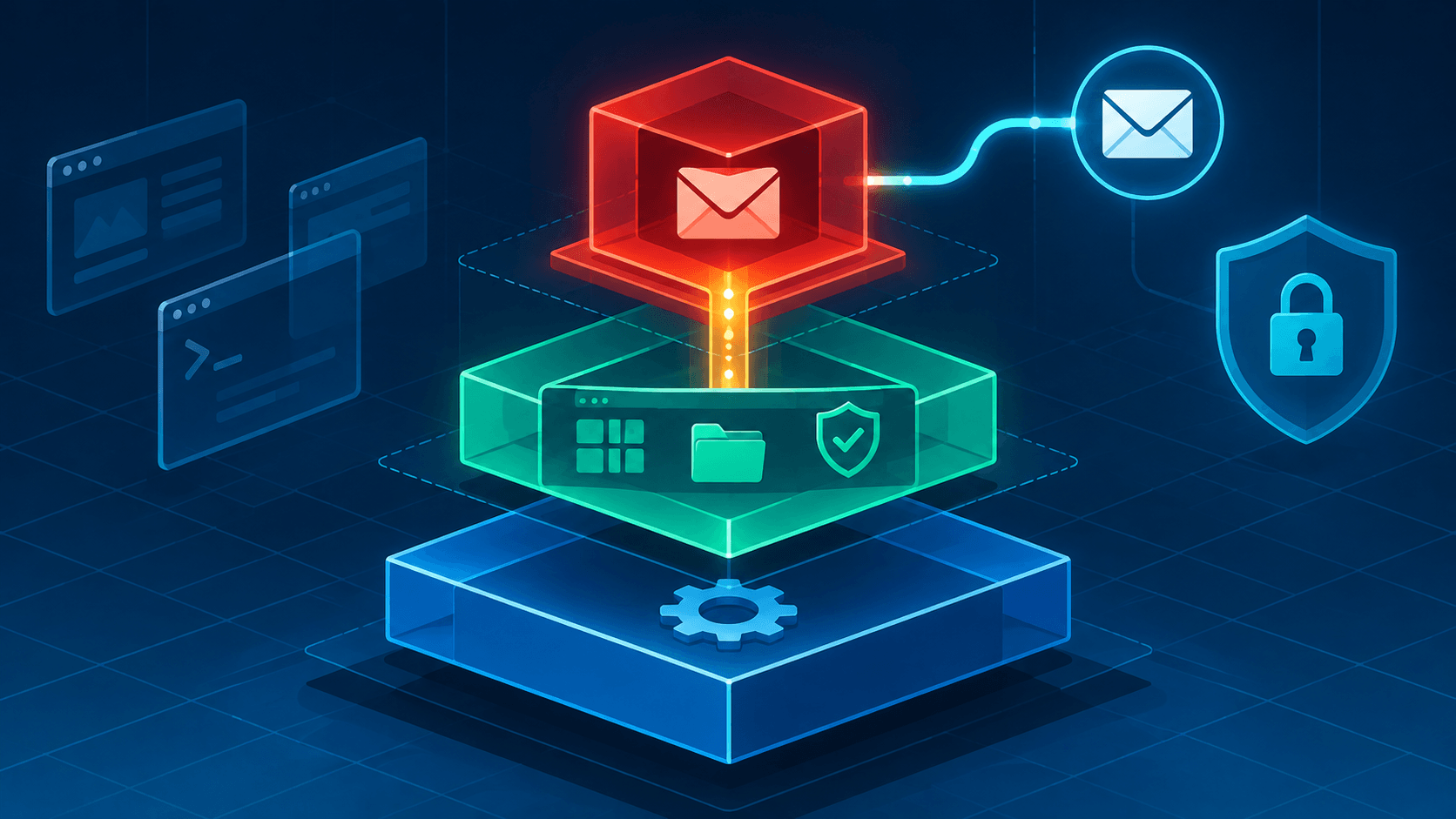
What we are building:
dom0                          (admin only — never runs user apps)
 └── debian-13-minimal        (pristine base template — untouched)
      └── debian-13-thunderbird   (custom template — holds Thunderbird + agents)
           └── personal-mail      (AppVM — holds your mail, your accounts, your state)
Part 3: The Build
Seven steps. Steps 1–3 and 5–6 run in a dom0 terminal; step 4 runs inside the template.
1. Install the template.
In a dom0 terminal:
[user@dom0 ~]$ qvm-template install debian-13-minimal
Debian 13 is the current official Debian template on Qubes 4.3, shipped in three variants (debian-13-xfce, debian-13, debian-13-minimal). Confirm it landed with qvm-template list, or skip the terminal entirely and use the Qubes Template Manager — the GUI does the same thing; the commands are here because they make the anatomy visible.
2. Clone it.
In a dom0 terminal:
[user@dom0 ~]$ qvm-clone debian-13-minimal debian-13-thunderbird
This is the "clone before you customize" habit, elevated from advice to step two. The clone starts as an exact copy. Everything we install next lives here and nowhere else, and debian-13-minimal stays stock except for updates.
3. Open a root terminal inside the clone.
In a dom0 terminal:
[user@dom0 ~]$ qvm-run -u root debian-13-thunderbird xterm
An xterm appears on your desktop, colored with the template's border — but it is inside the template, a different machine from the terminal you just typed in. The -u root matters: minimal templates ship without passwordless root by design, so this is the documented way to get an administrative shell in one. (Remember which terminal is which; everything in step 4 happens in this window.)
4. Install the software.
In the xterm that just opened (inside debian-13-thunderbird):
root@debian-13-thunderbird:~# apt update
root@debian-13-thunderbird:~# apt install -y qubes-core-agent-networking \
        qubes-core-agent-passwordless-root thunderbird
Three packages, three roles, and the table of what breaks without each:
| Package | What it provides | Without it |
|---|---|---|
qubes-core-agent-networking |
The plumbing between the qube and its netvm (sys-firewall, by default) |
The qube has no working network; Thunderbird never reaches your mail server |
qubes-core-agent-passwordless-root |
sudo without a password inside qubes based on this template |
Every admin task needs the qvm-run -u root dance from dom0 |
thunderbird |
The mail client | No mail |
Two notes on the middle one. Installing qubes-core-agent-passwordless-root is a deliberate trade: convenience inside the compartment versus a strictly more privileged user context if the compartment is ever compromised. It is the right default for most people — it is what makes the qube maintainable — but if you want the stricter posture, skip it and keep using qvm-run -u root from dom0 for template work. Either way you can verify which you have: open a normal (non-root) terminal in the template and run sudo -l; a NOPASSWD entry means passwordless root is active. (Want the truly minimal install? Add --no-install-recommends and the template keeps exactly what you asked for.)
Type exit to close the xterm. The template now contains the whole application stack of your mail compartment.
5. Shut the template down.
In a dom0 terminal:
[user@dom0 ~]$ qvm-shutdown debian-13-thunderbird
Templates keep running until you stop them. Shutting this one down finalizes the state the app qube will boot from and hands the RAM back to the machine — and it marks the moment the software side of the compartment is finished. From here on, we work on the data side.
6. Create the app qube.
In a dom0 terminal:
[user@dom0 ~]$ qvm-create --class AppVM --label red \
        --template debian-13-thunderbird personal-mail
Every flag is a concept worth naming:
--class AppVM— the everyday kind of qube: reads its software from a template, keeps its data in its own private volume.--label red— the color on every window frame of this qube. Labels are purely visual; the system treats them all identically. The convention from the post-install article is red for untrusted and dangerous content, and mail qualifies — this is the compartment that processes attachments from strangers. Pick whatever fits your scheme; the point is that the color reminds you, every time a window opens, which compartment you are in.--template debian-13-thunderbird— the clone whose contents we defined in step 4.personal-mail— the name. Letters, digits, and dashes. Names are how you will refer to this qube for years; keep them boring.
Again, "Create New Qube" in Qube Manager does this through forms. The command is shown because it is the whole architecture in one line.
7. Put Thunderbird on the menu.
Open Qube Settings for personal-mail → Applications, and move Thunderbird from the available list to the visible list. If the available list is empty, start personal-mail once and check again — the list is read from the template. In a hurry, skip the menu entirely: qvm-run personal-mail thunderbird launches it straight from a dom0 terminal.
That is the build. Seven steps, roughly ten minutes, and the compartment map from the post-install article has acquired its first working room.
Part 4: First Run and Verification
Launch Thunderbird and set up your account — IMAP, not POP, if your provider offers it: mail stays synchronized with the server, so the qube is a view onto your mailbox rather than the single copy of it, and rebuilding the qube later is an inconvenience instead of a catastrophe. Everything Thunderbird stores locally — the profile, local folders, the address book — lives in personal-mail's private volume and survives restarts. (Software lives in the template and is replaceable; mail lives here and is not. That split is the mental model.)
Two quick checks before you trust the setup:
- Privileges: in a
personal-mailterminal, runsudo -l—NOPASSWDif you installed passwordless root, a password prompt if you chose the stricter path. Both are correct; know which one you built. - Network: if Thunderbird connects, the networking agent did its job. If it does not, the failure mode is almost always one of these:
| Symptom | Likely cause | Fix |
|---|---|---|
| No network at all | qubes-core-agent-networking missing from the template |
Install it in the template, shut the template down, restart personal-mail |
| General network fine, mail server unreachable | Wrong netvm, or provider-side (TLS ports, 2FA/app password) | Check qvm-prefs personal-mail netvm — it should show your netvm, usually sys-firewall |
| Thunderbird missing from the qube's menu | Template change not yet picked up, or app not added | Start the qube once; then Qube Settings → Applications |
| "I installed Thunderbird and it vanished after a reboot" | It was installed inside the app qube | App qubes' own overlays are disposable by design — install in the template (step 4 is the whole point) |
One more piece of housekeeping that email specifically demands: mail accumulates. A mail compartment's private volume starts small (a couple of gigabytes by default), and years of IMAP cache plus attachments will fill it. Extending it is a one-liner in dom0:
[user@dom0 ~]$ qvm-volume extend personal-mail:private 20GiB
Note that the size you give is the target size, not an amount to add — 20GiB means "grow this volume to 20GiB total," not "add 20GiB." Do it now rather than at the "disk space" widget's first complaint.
Part 5: Living in the Compartment
The build is done; these are the habits that keep it honest.
Attachments leave the qube. The single highest-value habit in the whole system, per the post-install article, is that untrusted content deserves disposables — and an attachment from a stranger is untrusted content by definition. Save it, then open it in a disposable VM, where the entire machine dies at close and the exploit dies with it. A compromised attachment should cost you a disposable, not a mailbox. (Which is also the honest limit of this compartment: if the mail client itself is compromised, the attacker has the mail. Containment bounds the damage; it does not make the client invulnerable.)
Keep remote content blocked. Thunderbird blocks remote content in messages by default. Keep it that way — "remote content" is a polite phrase for tracking pixels, and every image that loads tells a sender you opened the mail. This is compartment hygiene at the application level, and it costs nothing.
Update the template, restart the qube. Thunderbird's version lives in the template, so updates arrive through the Qubes Updater like everything else — but personal-mail only sees them after a restart. This is the trade you made for legibility in Part 2, and it is a small one.
Reuse the pattern. A work-mail qube is three more commands: qvm-create another AppVM from the same debian-13-thunderbird template, pick its label, register Thunderbird in its applications. The template work is done; every new compartment from here is nearly free — which is exactly the "create qubes freely, cheaply" argument from the organizing article, now demonstrated rather than asserted.
Then, when you are ready: the optional-hardening layer from the post-install article has an unusually easy first target here. Per-qube firewall rules are the hard case for browsers and the easy case for mail — allow your provider's SMTP and IMAP endpoints, block the rest. And split GPG, so this qube can request signatures without ever touching key material. Both are refinements on top of what you just built. Not before.
The Usual Mistakes
- Installing Thunderbird inside
personal-mailinstead of the template — and losing it at the next restart. - Forgetting
qubes-core-agent-networkingand debugging "Thunderbird can't connect" for an hour. - Customizing
debian-13-minimalitself and losing the pristine base the whole pattern depends on. - Treating passwordless root as free — fine as a default, but a decision, not a formality.
- Opening attachments inside the mail qube because it was one click faster.
- Extending the compartment map never: one qube quietly accumulating "and also browsing, and also banking" until it is the monolith again with a Qubes logo on it.
The Takeaway
Three articles in, the argument has been that Qubes' security is not in its installer but in its architecture, and that the architecture is only as good as your compartment map. This is what the map looks like when it stops being a diagram: seven commands and a settings tab turn a template into a running compartment whose blast radius ends at your mailbox. The theory said every compromise should be bounded; here is a boundary you can see in the window border.
And the deeper lesson of a first build is how little each compartment after it costs. The template is cloned once, the software is installed once, the habits transfer everywhere — a work-mail qube, a banking qube, an untrusted-browsing qube are variations on what you just did. The learning curve that Part 2 priced in weeks is mostly paid once, at this exact step. Everything after is repetition.
So build it, use it for a week, and notice the one thing the monolith never gave you: the moment an attachment looks wrong and you realize it can no longer reach anything that matters. That is the product. The commands were just the moving-in.
Further reading:
- Minimal templates — the official minimal-template guide, including the passwordless-root design note this build follows
- Debian templates — the current Debian 13 template variants and how to install them
- How to install software — the template/app-qube software model in the project's own words
- How to organize your qubes — use-case-driven compartment planning, including a mail qube
- Getting started — colors, labels, widgets, and the secure habits this build leans on
- Creating a Debian 13 minimal sys-net with hardening — a community guide showing where the minimal-template pattern goes next