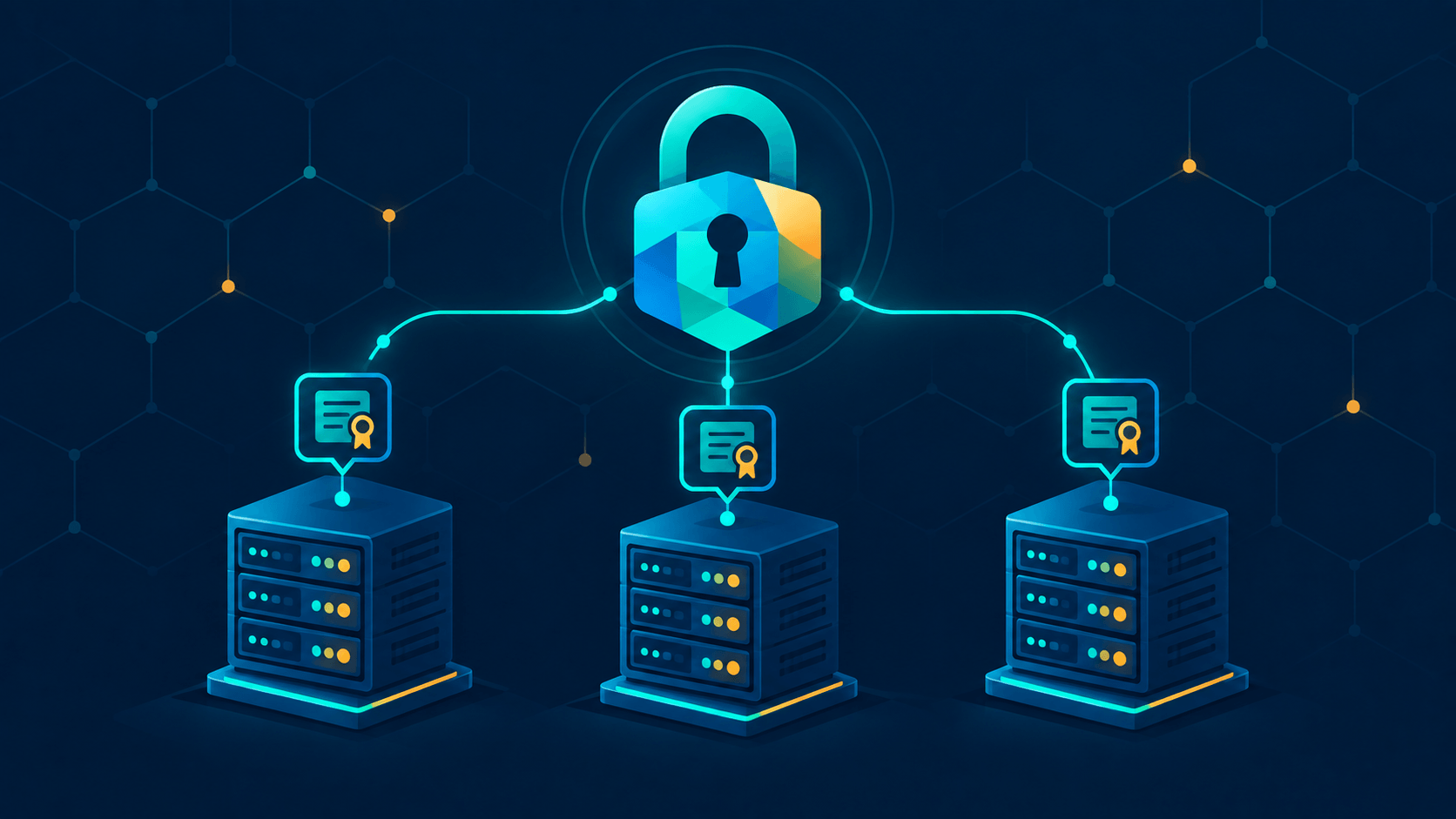
Passkeys and MFA have done a lot to secure how people log in. But once a request gets past your edge, a second trust problem starts: machine talking to machine. Reverse proxy to backend, service to database, worker to queue. Too many of those connections still trust a source IP address and call it security.
This post shows how to replace that with mutual TLS (mTLS): every workload gets a certificate from an internal CA, and every connection checks who is on the other end. We'll build it with step-ca and Caddy for a homelab, then look at Vault PKI for production and at when to graduate to SPIFFE and a service mesh.
Here's the enforcement point, a Caddy config for an internal API hostname that only accepts clients holding a certificate from your internal CA:
File: /etc/caddy/Caddyfile on proxy.internalapi.svc.internal {
tls /etc/caddy/pki/api.crt /etc/caddy/pki/api.key {
client_auth {
mode require_and_verify
trust_pool file /etc/caddy/pki/internal-root.crt
}
}
reverse_proxy backend.internal:9443 {
transport http {
tls_client_auth /etc/caddy/pki/proxy.crt /etc/caddy/pki/proxy.key
tls_trust_pool file /etc/caddy/pki/internal-root.crt
}
}
}Everything else in this post explains how to get those certificates into place, what to verify, and where mTLS alone isn't enough.
Why Zero Trust Needs mTLS
Zero Trust, as NIST describes it in SP 800-207, removes implicit trust based on physical or network location. Access decisions are made per session, based on authenticated identity. The question shifts from "is this request coming from inside the network?" to "which authenticated workload is making this request, right now?"
Traditional network controls answer different questions:
| Control | What It Actually Tells You |
|---|---|
| IP allowlist | The source address a packet claims, which says nothing about which workload sent it |
| VPN | That a device is on the network, often with broad reach once inside |
| Firewall rules | Where traffic comes from, not which workload is sending it |
| VPC / VLAN | Location, implicitly trusted after ingress |
mTLS is the transport-layer version of the Zero Trust idea:
- The server proves its identity. The client verifies the server certificate against your internal CA.
- The client proves its identity. The server verifies the client certificate against the same CA.
- The proof is bound to the connection. In TLS 1.3, the client's
CertificateVerifysignature covers the handshake transcript, so it can't simply be replayed onto a different connection. - Identity lives in the certificate. The SAN might be
backend.internalorspiffe://prod/api-server. A source IP tells you nothing durable.
Incidents show why this matters. The 2019 Capital One breach began with a server-side request forgery (SSRF) through a misconfigured web application firewall. That let the attacker reach the EC2 metadata service, which returned the instance role's credentials, and the role had far too much S3 access. mTLS alone wouldn't have prevented that. IMDSv2 and least-privilege IAM would have. The lesson still applies, though: a machine's network position should never be what grants it access.
The 2020 SolarWinds compromise started with a trojanized, signed software update. Once inside, the attacker moved laterally through networks that treated internal traffic as trusted. Workload identity limits that kind of movement, but it doesn't stop the initial implant.
mTLS vs. Regular TLS
With regular TLS, only the server presents a certificate. The client checks it and then sends its request. With mTLS, the server also sends a CertificateRequest, and the client answers with its own certificate and a signature.
In TLS 1.3, that client authentication rides in the client's existing handshake flight. It doesn't add a round trip compared to plain TLS 1.3. The cost is a few extra bytes and a signature verification, not a second negotiation.
The difference shows up in the question each side is answering:
- Regular TLS: "Is this the real server?"
- mTLS: "Is this the real server, and is this a real, authorized client?"
What mTLS does and doesn't give you
| Property | Provided? |
|---|---|
| Encryption in transit | Yes (from TLS) |
| Server authentication | Yes (from TLS) |
| Client/workload authentication | Yes, only with mTLS |
| Authorization (what this identity may do) | No. You need a policy layer on top: service mesh rules, gateway rules, or app code |
| Protection from a compromised peer you trust | No. mTLS protects the channel, not a peer that's already been taken over |
The authorization row is the one people forget. A valid certificate proves who is calling. It doesn't decide whether that caller should be allowed to hit that endpoint. Plan for both.
Anatomy of Workload Identity
Certificates, not shared secrets
Each workload gets its own key pair and X.509 certificate from your internal CA. The certificate carries:
- SAN (Subject Alternative Name): the identity itself. That's a DNS name like
backend.internal, a URI likespiffe://prod/api-server, or an IP. - Validity window: hours or days, not years.
- Issuer chain: the leaf is signed by an intermediate, which chains to your root.
Verification means checking the signature chain back to a trusted root, matching the SAN, and confirming the cert hasn't expired. There's no shared API key to leak and no bearer token to replay.
Chain of trust layout
root CA  (offline, long-lived, never signs leaves)
  └── intermediate CA  (online, held by step-ca / Vault)
        ├── server cert  (SAN: api.svc.internal)
        ├── server cert  (SAN: backend.internal)
        ├── client cert  (SAN: proxy.internal)
        └── client cert  (SAN: spiffe://prod/api-server)
Keep the root offline. The online intermediate signs the leaves. Verifiers only need the root PEM, which is the same file you wire into every proxy and client as a trust_pool or --cacert.
Why short-lived beats revocation
Long-lived certificates force you to run CRLs or OCSP, which means distributing revocations across your infrastructure. Those lists go stale and are painful to operate.
Short-lived certificates (minutes to hours) with automated renewal sidestep most of that. A compromised cert expires on its own within its TTL, so revocation becomes a backstop rather than the main mechanism.
| Strategy | Revocation Cost | Ops Burden | Best For |
|---|---|---|---|
| Long cert + CRL/OCSP | High | Painful | Legacy systems that can't re-issue |
| Short cert + auto-renew | Mostly expiry does the work | Needs automation | Everything you control |
| Scheduled rotation | Medium, with overlapping windows | Moderate | Certs tied to external dependencies |
Hands-On: step-ca + Caddy (Homelab Path)
Here's the scenario. Caddy fronts an internal API hostname and forwards to a backend on backend.internal:9443, which then talks to the app on localhost:3000. You want the backend to reject any connection that doesn't present a certificate from your internal CA. That replaces the old allow 10.0.0.0/8 rule.
1. Install the tools
# Run on your CA host
# step CLI + step-ca server (Debian/Ubuntu example; also available via brew, nix, and Docker)
curl -fsSL https://dl.smallstep.com/cli/scripts/install-step.sh | bash
sudo apt-get install -y step-ca
2. Initialize the internal CA
# Run on the CA host
step ca init
#   PKI name:            Homelab PKI
#   DNS names:           ca.internal, localhost
#   Address:             :8443
#   First provisioner:   admin@internal
#   Password:            (generate one, store it in your password manager)
The output gives you root_ca.crt, intermediate_ca.crt, ca.json, and a root fingerprint. Write the fingerprint down. You'll need it for bootstrapping.
3. Run the CA
# Run on the CA host
step-ca $(step path)/config/ca.json
# Serving HTTPS on :8443 ...
In production you'd run this under systemd rather than a foreground shell.
4. Bootstrap trust on each machine
# Run on every client, proxy, and backend machine
step ca bootstrap --ca-url https://ca.internal:8443 \
  --fingerprint <root_fingerprint>
step certificate install $(step path)/certs/root_ca.crt   # system trust store
Copy the root PEM to the path your proxy config expects:
# Run on proxy.internal and backend.internal
sudo mkdir -p /etc/caddy/pki
sudo cp $(step path)/certs/root_ca.crt /etc/caddy/pki/internal-root.crt
5. Issue certificates
Each workload gets its own cert with a SAN that matches exactly what clients dial:
# Run on the CA host (or any machine with the provisioner password)
# Server cert for the edge hostname clients call
step ca certificate api.svc.internal api.crt api.key \
  --provisioner admin@internal

# Server cert for the backend
step ca certificate backend.internal backend.crt backend.key \
  --provisioner admin@internal

# Client cert for the proxy (the mTLS caller to the backend)
step ca certificate proxy.internal proxy.crt proxy.key \
  --provisioner admin@internal
Before going further, check that the proxy cert actually carries the client-auth usage. Run step certificate inspect proxy.crt and look for Client Authentication under Extended Key Usage. A server-only cert will fail the handshake, and this check catches that early.
6. Wire the edge: require client certs
The mode option controls how strict Caddy is about client certificates:
request: ask for a cert but don't check it. Useless for security.require: demand a cert but skip verification. Weaker than it sounds, since any cert gets through.verify_if_given: check a cert only if one is presented. Also not enforcement.require_and_verify: demand a cert and validate it againsttrust_pool. Use this one.
The Caddyfile from the top of the post handles the edge. It's served from api.svc.internal using the server cert from step 5, and it requires client certs verified against the internal root.
7. Wire the backend: verify callers
The backend mirrors the edge. It only accepts connections from callers that present a cert the internal root signed:
File: /etc/caddy/Caddyfile on backend.internalbackend.internal:9443 {
tls /etc/caddy/pki/backend.crt /etc/caddy/pki/backend.key {
client_auth {
mode require_and_verify
trust_pool file /etc/caddy/pki/internal-root.crt
}
}
reverse_proxy localhost:3000
}Any TLS-speaking server can do this job. NGINX uses ssl_client_certificate with ssl_verify_client on. Envoy uses require_client_certificate. In Go, you'd set tls.Config{ClientAuth: tls.RequireAndVerifyClientCert}.
The backend also has to be reachable as backend.internal. Add a DNS record or an /etc/hosts entry on the proxy before testing.
8. Test: positive and negative
Run the positive test first, then the negative ones. The negative tests are what prove Zero Trust is actually enforced.
# Run from the proxy or a test client
# Should succeed: valid client cert, server verified against the internal root
curl --cacert /etc/caddy/pki/internal-root.crt \
     --cert /etc/caddy/pki/proxy.crt --key /etc/caddy/pki/proxy.key \
     https://backend.internal:9443/health
# {"status":"ok"}

# Should fail: no client certificate
curl --cacert /etc/caddy/pki/internal-root.crt \
     https://backend.internal:9443/health
# curl: (56) ... alert certificate required (exact wording varies by curl/OpenSSL)

# Should fail: client cert from a different CA
curl --cacert /etc/caddy/pki/internal-root.crt \
     --cert wrong.crt --key wrong.key \
     https://backend.internal:9443/health
# curl: (56) ... alert unknown ca
Notice that the failures come back as TLS alerts from the server, not as verification errors inside curl. That's the server rejecting the client, which is what you want. Check the Caddy logs on the backend too. They should show the rejected handshake.
Hands-On: Vault PKI (Production Path)
Same goal, different engine. Vault PKI adds dynamic roles, lease tracking, HA, and policy-controlled issuance. Access to pki/issue paths is gated by Vault's auth methods and policies, such as Kubernetes, AWS IAM, TLS certificate auth, or AppRole.
# Run against your Vault cluster as an admin
# Mount the PKI engine, tuned for long-lived CA material
vault secrets enable pki
vault secrets tune -max-lease-ttl=87600h pki

# Root (keep offline in real production) or intermediate, depending on your design
vault write pki/root/generate/internal \
  common_name="Internal Root CA" \
  ttl=87600h

# A role defines issuance policy. Make one per workload identity.
vault write pki/roles/api-server \
  allowed_domains="internal,svc.internal" \
  allow_subdomains=true \
  max_ttl=24h \
  ttl=1h

# Workload requests its own short-lived cert at startup
vault write -field=certificate pki/issue/api-server \
  common_name="api-server.svc.internal" > api-server.crt
The example writes the certificate to a file so you can see the output. In production, have the application fetch the cert and keep it in memory or on a tmpfs mount, so the private key never lands on persistent disk.
| Dimension | step-ca | Vault PKI |
|---|---|---|
| Setup weight | Single binary, minutes | Full Vault deployment (or HCP) |
| Issuance auth | JWK/OIDC/ACME provisioners | Vault auth methods (K8s, AWS, TLS cert, AppRole) |
| Cert lifetimes | Short-lived by default, passive revocation | Role-scoped TTLs, leases, renewal |
| Policy model | CA-wide with templates | Per-role allowlists (domains, TTLs, key types) |
| Homelab fit | Excellent | Heavy |
| Production / HA fit | Good (RA mode, federation) | Excellent, especially if you already run Vault |
| Bonus | ACME server for internal hostnames | Same Vault issues DB creds, SSH certs, and KV secrets |
Rule of thumb: step-ca when PKI is the job. Vault when PKI is one of many secrets jobs and you already operate Vault.
The Certificate Lifecycle
Issuing the first cert is the easy part. Production means renewal, rotation, and compromise response.
- Keep TTLs short. 1 to 24 hours for leaf certs. Renewal should be routine, not an incident.
- Automate renewal. Use a systemd timer, a sidecar, a
step ca renewloop, Vault lease renewal, or SPIRE's Workload API, which rotates identities in memory. Never renew by hand. - Reload without downtime. Proxies need to pick up new certs. Caddy and NGINX both support graceful reloads. Envoy supports dynamic secret updates through SDS. Go servers can use a
GetCertificatecallback to load new certs on demand. - Lock down key permissions. Private keys should be
0600, owned by the service user, never committed to a repo, and never baked into an image layer. - Plan for compromise. A short TTL limits the damage window. For an immediate kick, revoke at the CA with
step ca revokeorvault write pki/revoke serial_number=<serial>, and/or rotate the intermediate and re-distribute trust. If your verifiers only check the chain and expiry, practice that rotation drill before you need it. - Keep clocks honest. Certificate validity is wall-clock time. Run NTP on every node. Clock skew causes the classic "works on my machine, then
x509: certificate has expired or is not yet validin prod."
When IP Allowlists Still Belong
mTLS answers who is calling. Network controls still help with where traffic can come from, which is defense in depth.
- Keep a default-deny firewall alongside mTLS. Even valid certs should only arrive over expected paths.
- Use mTLS for identity and firewalls for blast-radius reduction.
- What you should remove: allowlists that serve as the only gate between services.
The Zero Trust move isn't "delete the firewall." It's "stop treating the network as the thing that authenticates a caller."
Scaling Up: SPIFFE and Service Meshes
Hand-wired certs work fine for a handful of services. Once you have hundreds, you want a system that issues and rotates identities automatically.
- SPIFFE is an open standard for workload identity. Identities look like
spiffe://trust-domain/workload-nameand live in the SAN. The documents are X.509-SVIDs (short-lived certs) and JWT-SVIDs. - SPIRE is a production implementation of SPIFFE. An agent attests each workload (by Unix user, Kubernetes pod, or cloud instance), and the Workload API hands the process its SVID and keeps it rotated in memory.
- Service meshes like Istio and Linkerd run mTLS sidecars for every pod, with identities supplied by the platform, so application code doesn't change. Istio uses SPIFFE IDs natively.
| Approach | mTLS Handled By | Best Scale |
|---|---|---|
| Reverse proxy (Caddy/NGINX) | Proxy config | A few services, homelab, edge-to-backend |
| step-ca / Vault direct | App or proxy config | Dozens of services with automation |
| SPIRE | Workload API in app or proxy | Mixed VMs and Kubernetes, no mesh wanted |
| Service mesh (Istio/Linkerd) | Transparent sidecar | Hundreds of services in Kubernetes |
Start at the top of this table and move down only when certificate plumbing becomes the bottleneck.
Common Pitfalls
| Pitfall | Symptom | Fix |
|---|---|---|
| SAN mismatch | curl: (60) ... does not match or Go x509: certificate is valid for X, not Y |
Issue the cert for the exact name clients dial. Add an IP SAN if you dial by IP |
Trusting root but not pointing --cacert or trust_pool at it |
unable to get local issuer certificate |
Point the verifier at your internal root PEM and bake it into container images |
require without verify |
Any cert gets accepted | Use require_and_verify (Caddy) or ssl_verify_client on (NGINX) |
insecure_skip_verify in app code |
A full MITM hole ships to production | Never. Fix the trust chain instead |
| Long-lived certs | Revocation becomes mandatory infrastructure | Hours-to-days TTL with auto-renewal |
| TLS terminated too early | mTLS stops at the edge, leaving the backend hop flat | Re-encrypt proxy-to-backend, with the proxy presenting its client cert |
| Keys readable by too many users | Any local user can impersonate the workload | 0600, a dedicated service user, or keys in memory only |
| Clock skew | Random "not yet valid" failures | NTP on every node |
| Shared cert across services | Compromise of one means compromise of all | One cert per workload instance, one SPIFFE ID per workload |
Rollout Checklist
- Internal CA initialized, root offline, intermediate protected, fingerprint recorded
- Root (or intermediate) PEM distributed to every verifier: proxies, apps, test tooling
- Every workload has its own cert, with no leaf certs shared between services
- SANs match the real dial hostnames and IPs exactly
- Leaf TTL is 24 hours or less, and renewal is automated and tested (kill the cert and confirm auto-recovery)
- Reverse proxy requires
require_and_verifyagainst the internal root, not IP rules alone - Proxy-to-backend hop re-encrypts and presents a client cert
- Negative tests pass: no cert rejected, foreign-CA cert rejected, expired cert rejected
- Private keys are
0600and absent from repos and image layers - NTP is healthy, and expiry alerts cover the root and intermediate
- Compromise drill documented: revoke, rotate the intermediate, re-trust
- An authorization layer exists. The identity is authenticated, but permission to call an endpoint is a policy decision, not something cert presence grants
Summary
mTLS brings Zero Trust down to the transport layer. Instead of trusting a caller because it's inside the network, you trust it because it proved possession of a private key bound to a certificate your CA signed. An internal CA issues short-lived identities, proxies verify them at every hop, automation keeps them fresh, and network rules go back to a supporting role.
Passkeys secure the human edge. mTLS secures the machine-to-machine core.
Further Reading
- NIST SP 800-207, Zero Trust Architecture
- OWASP TLS Cheat Sheet, Client Certificates and Mutual TLS
- smallstep, step-ca Getting Started
- smallstep, Hello mTLS configuration examples
- HashiCorp Vault, PKI Secrets Engine
- Caddy,
tlsdirective andclient_auth - Caddy,
reverse_proxytransport options - SPIFFE, Overview and X.509-SVID spec
- RFC 8446, TLS 1.3